Page 13
Main Piston and Regenerant Piston
Disassembly and Inspection
Attached to the drive cap assembly is the main piston and depending on the configuration, a regenerant piston. The regenerant piston
(the small diameter one behind the main piston) is removed from the main piston by unsnapping it from its disassembly latch. To
remove the main piston fully extend the piston rod and then unsnap the main piston from its latch by pressing on the side with the
number. Chemically clean the piston in dilute sodium bisulfite or vinegar, or replace the them. The main piston is Teflon coated. If
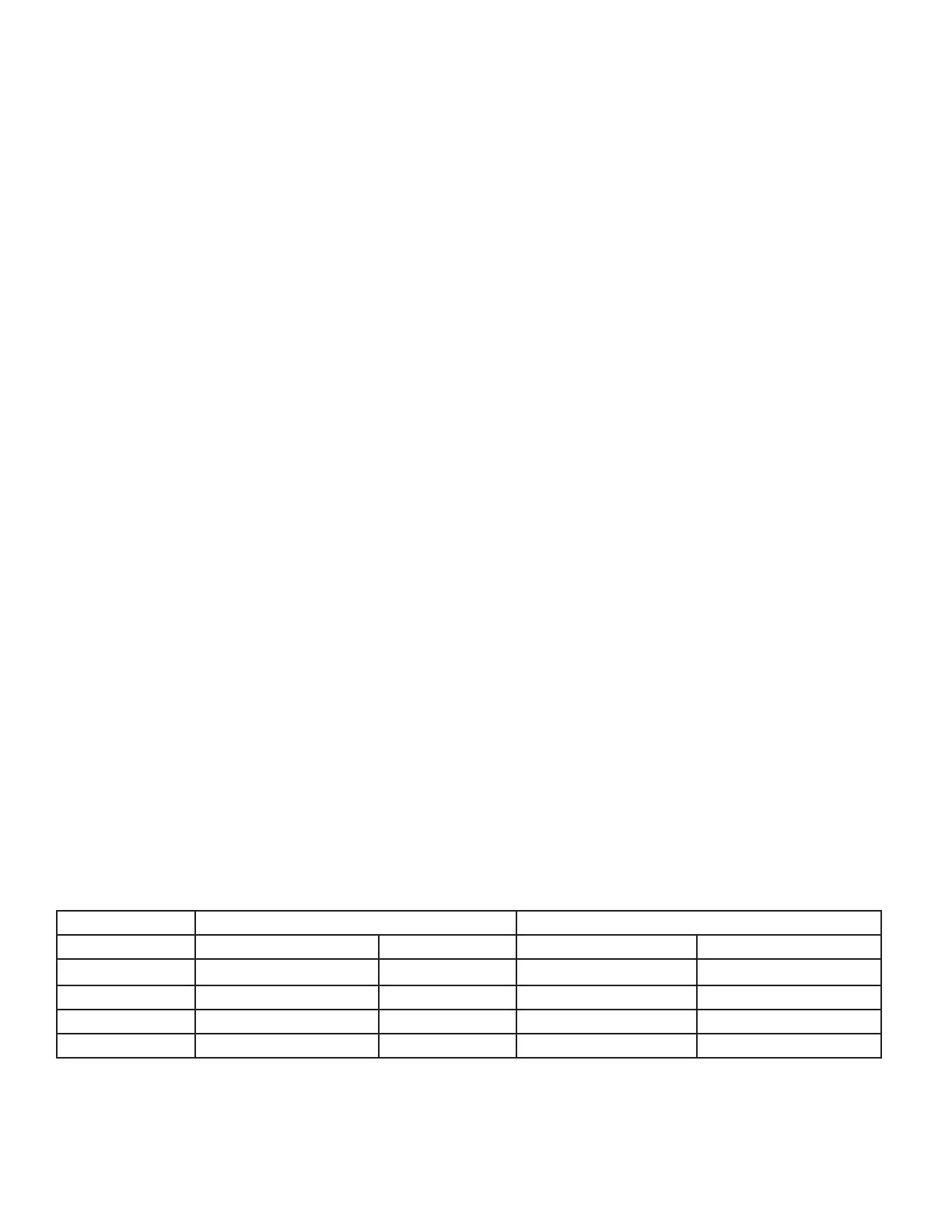
the Teflon coating is abraded, replace the main piston. For piston identification, refer to table.
Reassembly
Reattach the main piston to the drive cap assembly. Reattach the regenerant piston (if needed) to the main piston. Reinsert the drive
cap assembly and piston into the spacer stack assembly and hand tighten the drive cap assembly. Continue to tighten the drive cap
assembly until the backside of the drive cap bottoms out flush with the casting or the black O-ring on the spacer stack assembly is no
longer visible through the drain port. Excessive force can break the notches molded into the drive back plate. Make certain that the
main drive gear still turns freely. The exact position of the piston is not important as long as the main drive gear turns freely.
Reattach the drive assembly to the control valve and connect all plugs. After completing any valve maintenance, press and hold
NEXT and REGEN buttons for 3 seconds or unplug the power source jack (4-pin, black cable) and plug it back in. This resets the
electronics and establishes the service piston position. The display should flash all wording, then flash the software version, and then
reset the valve to the service position.
Spacer Stack Assembly
Disassembly and Inspection
To access the spacer stack assembly, remove the drive assembly, drive cap assembly and piston. The spacer stack assembly can then
be pulled straight out. Inspect the black O-rings and inner seals for wear or damage, replace the entire stack if necessary. Do not
disassemble the stack.
The spacer stack assembly may be chemically cleaned (dilute sodium bisulfite or vinegar) or wiped with a soft cloth.
For 2” stack identification, refer to table.
Reassembly
The spacer stack assembly can be pushed into the control valve body bore by hand. The assembly is properly seated when at least
four threads are exposed (approximately 5/8”). Do not force the spacer stack assembly in. The control valve body bore interior can
be lubricated with silicone to allow for easy insertion of the entire stack.
Reattach the drive cap assembly and piston(s) and the drive assembly.
After completing any valve maintenance, press and hold NEXT and REGEN buttons for 3 seconds or unplug the power source jack
(4 pin, black cable) and plug back in. This resets the electronics and establishes the service piston position. The display should flash
all wording, then flash the software version and then reset the valve to the service position.
Downflow/Backwash or Upflow Changes
Downflow/Backwash Upflow Downflow/Backwash Upflow
V3729-01 (black and grey)


 To Next Page