Page 16
Troubleshooting Procedures
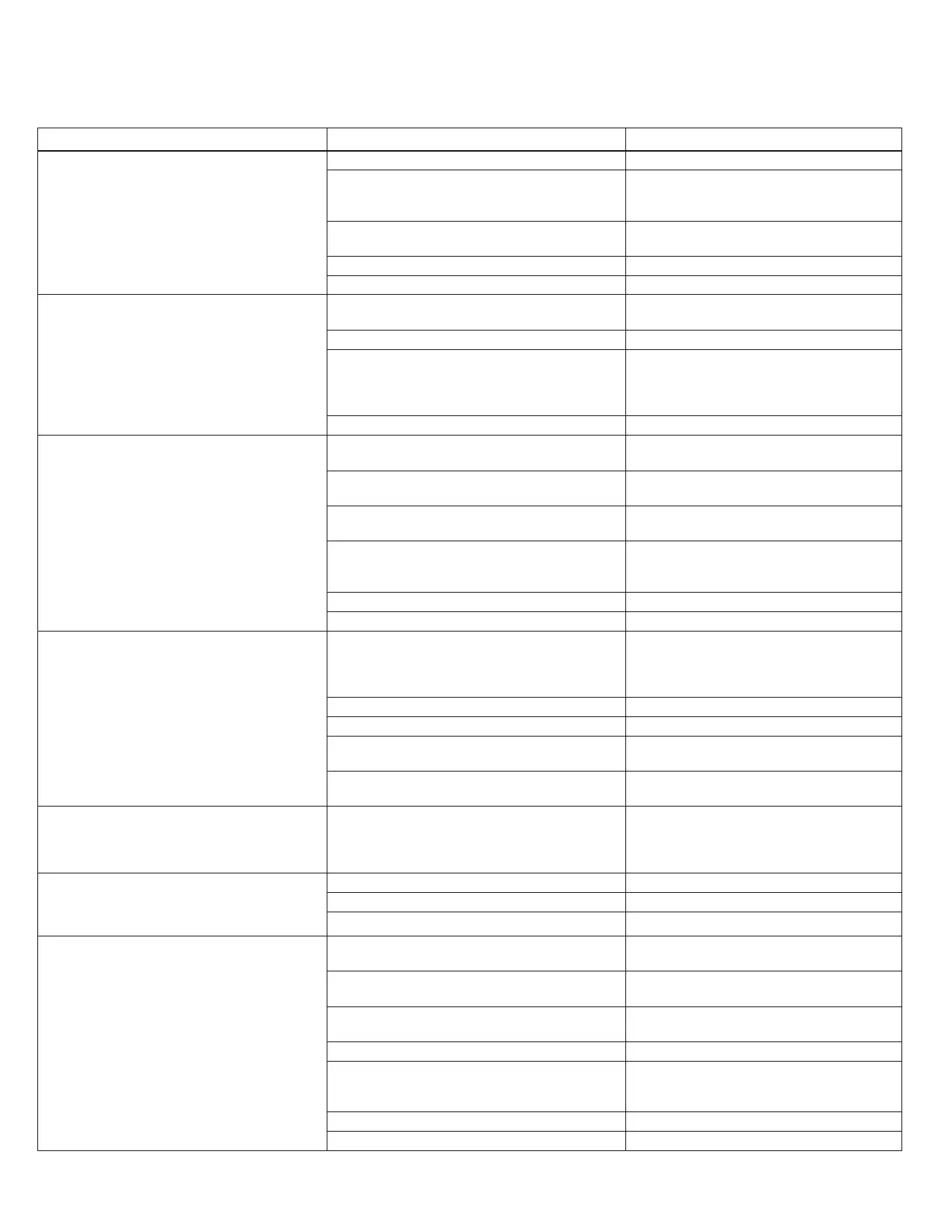
Problem Possible Cause Solution
1. No Display on PC Board
a. No power at electric outlet
a. Repair outlet or use working outlet
b. Control valve Power Adapter not plugged into
outlet or power cord end not connected to PC
b. Plug Power Adapter into outlet or connect power
cord end to PC Board connection
c. Improper power supply
c. Verify proper voltage is being delivered to PC
d. Defective Power Adapter
2. PC Board does not display correct time of day
a. Power Adapter plugged into electric outlet
controlled by light switch
a. Use uninterrupted outlet
b. Tripped breaker switch and/or tripped GFI
b. Reset breaker switch and/ or GFI switch
c. Power outage
c. Reset time of day. If PC Board has battery
backup present the battery may be
depleted. See Front Cover and Drive
Assembly drawing for instructions.
3. Display does not indicate that water is flowing.
Refer to user instructions for how the display
indicates water is flowing
a. Bypass valve in bypass position
a. Turn bypass handles to place bypass in
b. Meter is not connected to meter connection on PC
b. Connect meter to three pin connection
labeled METER on PC Board
c. Restricted/ stalled meter turbine
c. Remove meter and check for rotation or
d. Meter wire not installed securely into three-pin
connectors
d. Verify meter cable wires are installed
securely into three-pin connector labeled
4. Control valve regenerates at wrong time of day
a. Power outage
a. Reset time of day. If PC Board has battery
backup present the battery may be
depleted. See Front Cover and Drive
Assembly drawing for instructions.
b. Time of day not set correctly
b. Reset to correct time of day
c. Time of regeneration set incorrectly
c. Reset regeneration time
d. Control valve set at “on 0” (immediate regeneration) d. Check programming setting and reset to
NORMAL (for a delayed regen time)
e. Control valve set at “NORMAL + on 0” (delayed
e. Check programming setting and reset to
NORMAL (for a delayed regen time)
5. Time of day flashes on and off
a. Power outage
a. Reset time of day. If PC Board has battery
backup present the battery may be
depleted. See Front Cover and Drive
Assembly drawing for instructions.
6. Control valve does not regenerate
automatically when the REGEN button is
depressed and held.
a. Broken drive gear or drive cap assembly
a. Replace drive gear or drive cap assembly
c. Defective PC Board c. Defective PC Board
7. Control valve does not regenerate automatically
but does when the REGEN button is depressed and
held.
a. Bypass valve in bypass position
a. Turn bypass handles to place bypass in
b. Meter is not connected to meter connection on PC
b. Connect meter to three-pin connection
labeled METER on PC Board
c. Restricted/ stalled meter turbine
c. Remove meter and check for rotation or
d. Check for programming error
e. Meter wire not installed securely into three-pin
connectors
e. Verify meter cable wires are installed
securely into three-pin connector labeled


 To Next Page