Frama Matrix F22
27
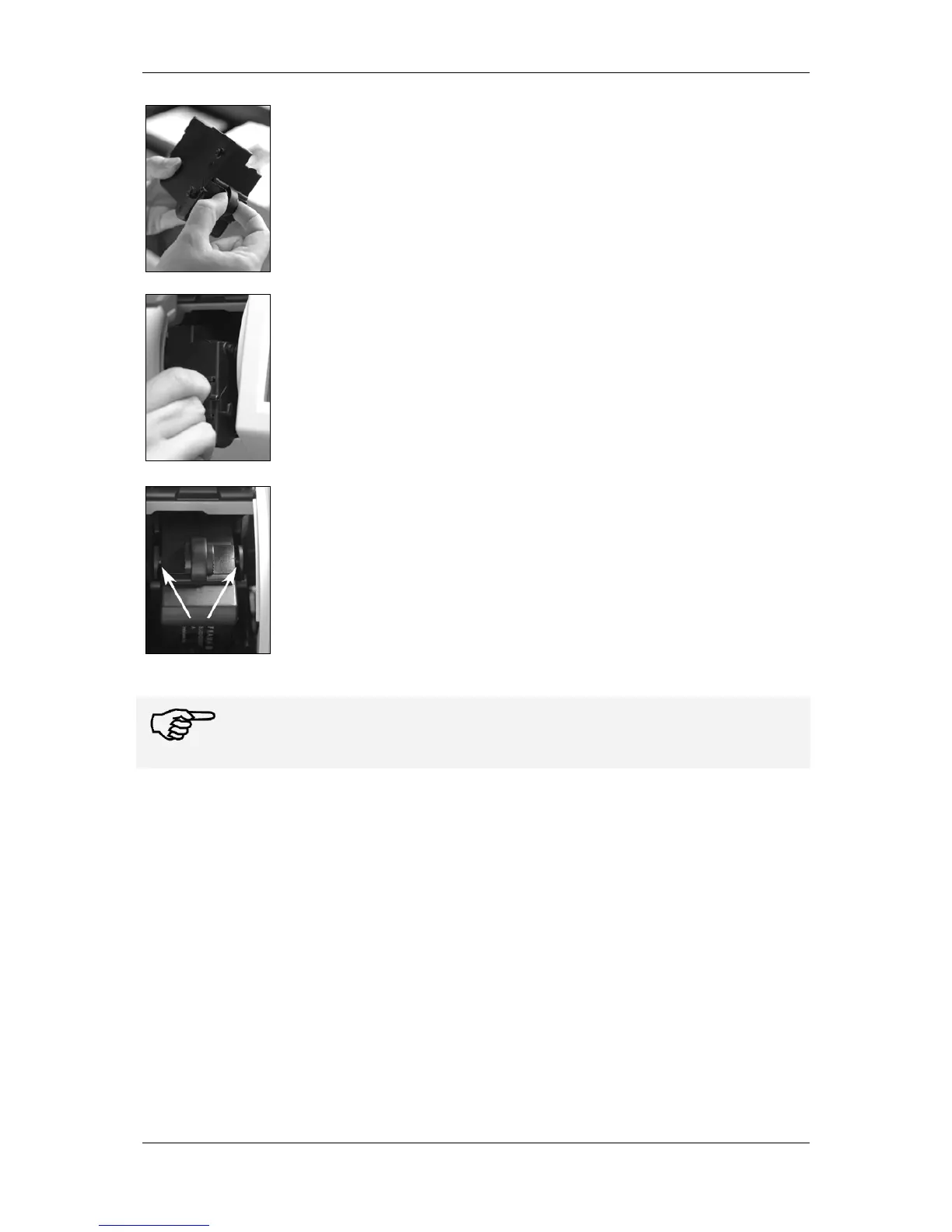
Unpack your ink jet cassette and remove the two protective strips from the
print head.
On the top of the ink jet cassette you will find two grip surfaces. Press them
together between your thumb and forefinger.
Insert the ink jet cassette from above. Follow the contour of the cover as you
do this.
Push the new ink jet cassette fully into its guide.
Release the grip surfaces. Push the ink jet cassette back with one finger to
make sure that the locking tabs are correctly positioned and that the ink jet
cassette is locked into place.
The locking tabs must engage at the side (see photograph). Check that the ink jet cassette is
properly seated before you close the cover again. The cover must close easily without the
need for force.



 To Next Page