9
VI. Operating the appliance
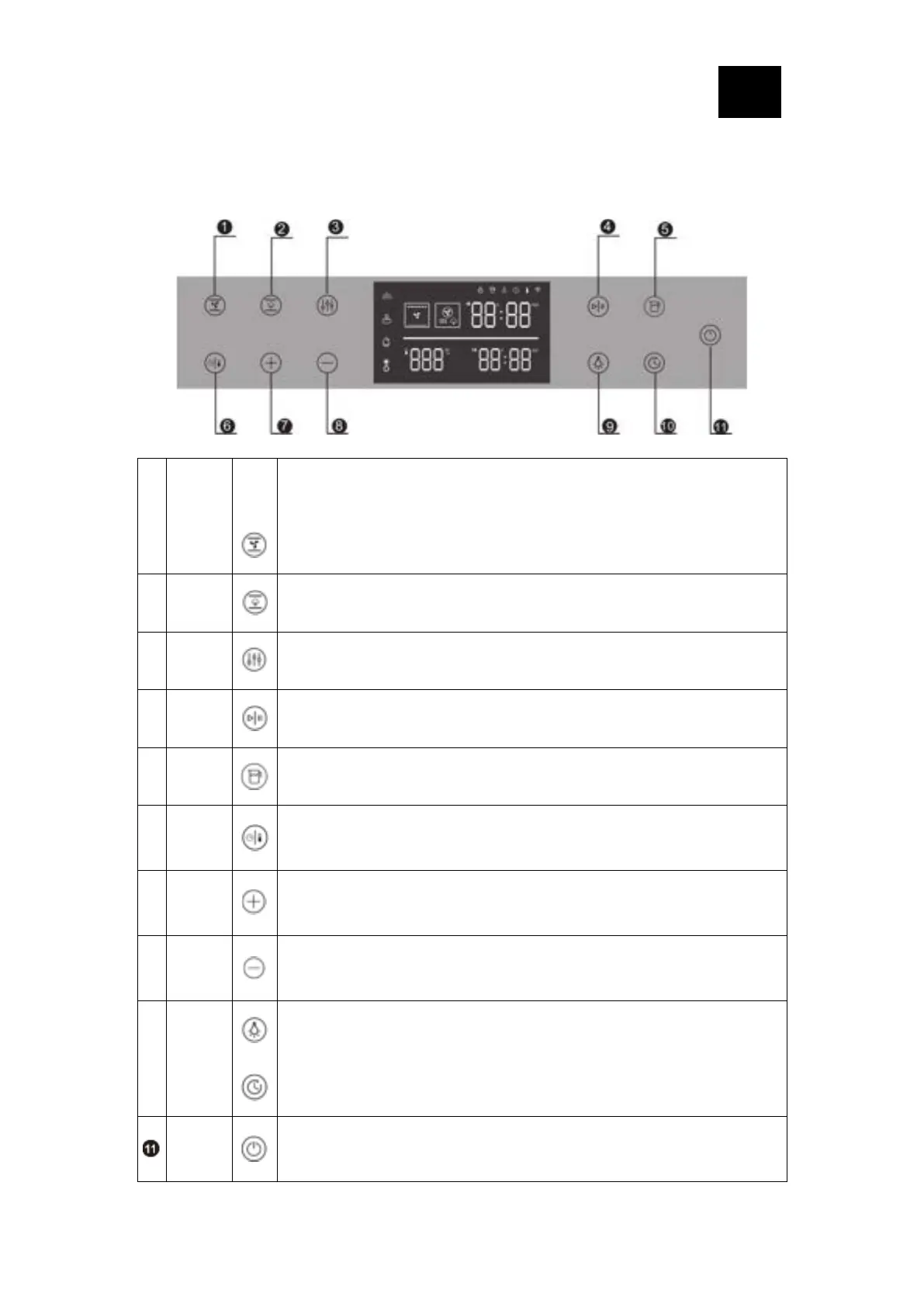
6.1 Instructions for control panel
Baking mode: press to enter (Baking function: see the function comparison table
below for details. Press to switch another function)
Steaming-assisting mode: press to enter (steaming-assisting function: see the
function comparison table for details, press to switch another function)
Additional mode: press to enter (Additional function: see the function comparison
table for details, press to switch another function)
Press the tank button once, the tank will eject automatically. (Push the tank to the
end to install the tank)
Time|Te
mperatur
e
Settings
Switch between time and temperature: press this key for the first time to enter the
time setting, and press again to enter the temperature setting
Increase the time or temperature, short press to increase the time by 1 minute,
and increase the temperature by 1 degree; long press to increase continuously,
with the time range of 00:05~12:00 cycle, and the temperature range . For each
mode, please refer to the types of heating table.
Decrease the time or temperature, short press to decrease the time by 1 minute,
and decrease the temperature by one degree; long press to decrease
continuously within the time range of 00:05~12:00 and the temperature range. For
each mode, please refer to the types of heating table.
Control the lighting on and off, not limited by key lock
After the function is selected, the maximum setting can be applied is 12 hours.
Press and hold for 1.5s to switch the appliance on; then press and hold for 1.5s to
switch off the appliance; if the display is locked when appliance operating, press
and hold for 1.5s to unlock first, and then press and hold for 1.5s to end operation
and shut down.




 To Next Page