13
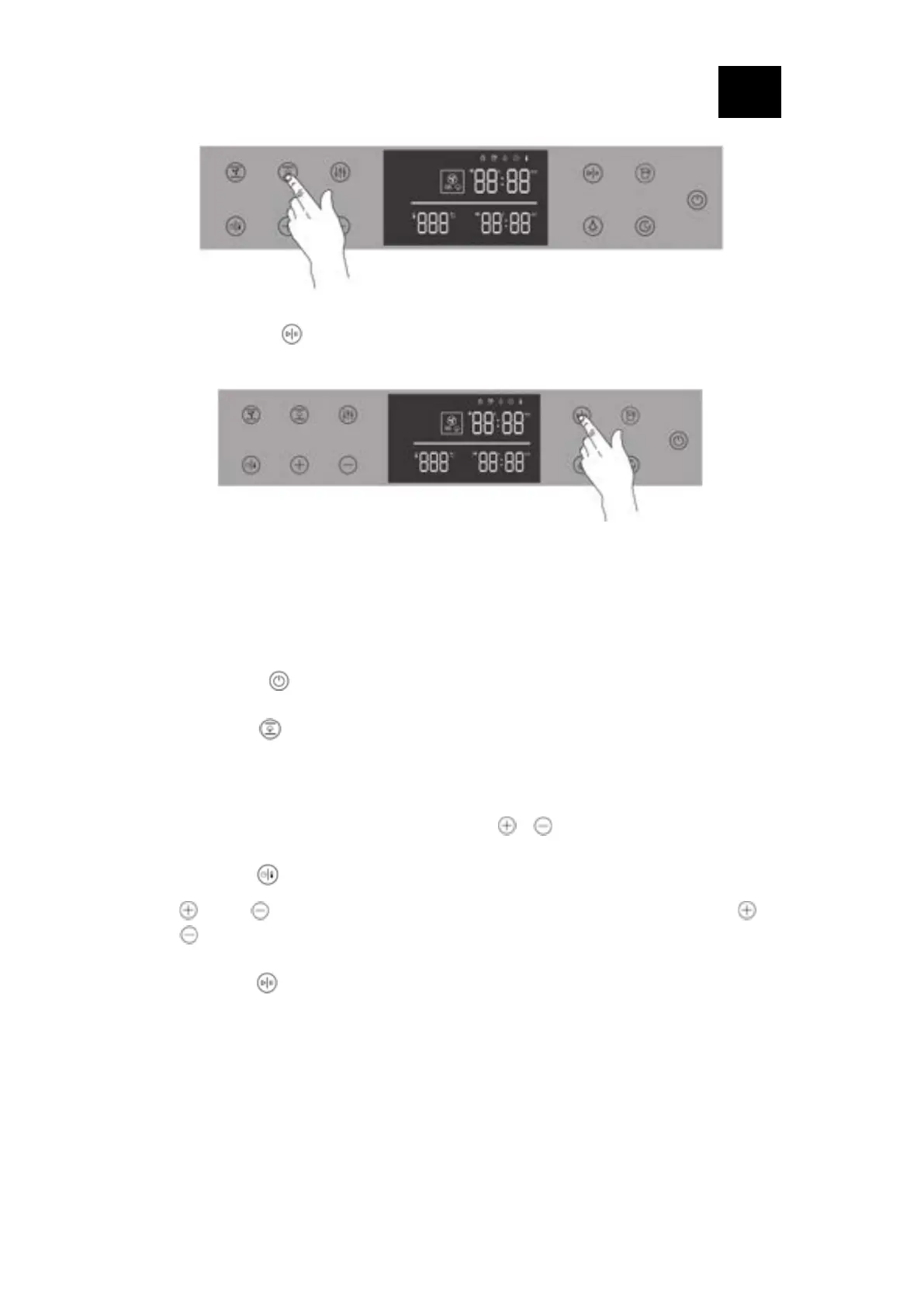
Step 3: Press the “ " key, the oven immediately starts the cooking function
6.3 Operating the type of steam-assisting function
The menu is divided into different operating modes. In this way, you can quickly
access the required function. Selecting the type of steam-assisting function for you to
prepare your dishes, setting the running time before started. Operating as follows:
• Long press “ " key for 1.5s, and the oven will enter the standby state;
• Press the “ " key to select the cooking mode, and each press will switch one
function; the default operating temperature and function and the default time
flashes displayed on the screen;
• Set the required cooking time by pressing “ " “ " keys;
• Press the “ " key, the temperature value indicator starts to flash, then press the
“ " and “ " keys to set the cooking temperature, each time you press “ " or
“ " will change 1 degree, and long press will increase or decrease continuously.
• Press the “ " button, the oven immediately will start the cooking function;
Note: 1. The default temperature of baking with full steam fuction is 180 degrees,
which can be adjusted between 50-240 degrees ( steaming after reaching
the set temperature to ensure the food with juicy does not dry out)
2. The default temperature of baking with 50% steam function is 180 degrees,
which can be adjusted within the range of 50-240 degrees ( steaming after
reaching the set temperature to keep the food tender)




 To Next Page