12
6.2 Operating the type of heating
The menu is divided into different operating modes. In this way, you can quickly
access the required function. Selecting the type of heating for you to prepare your
dishes, setting the running time before started. Operating as follows:
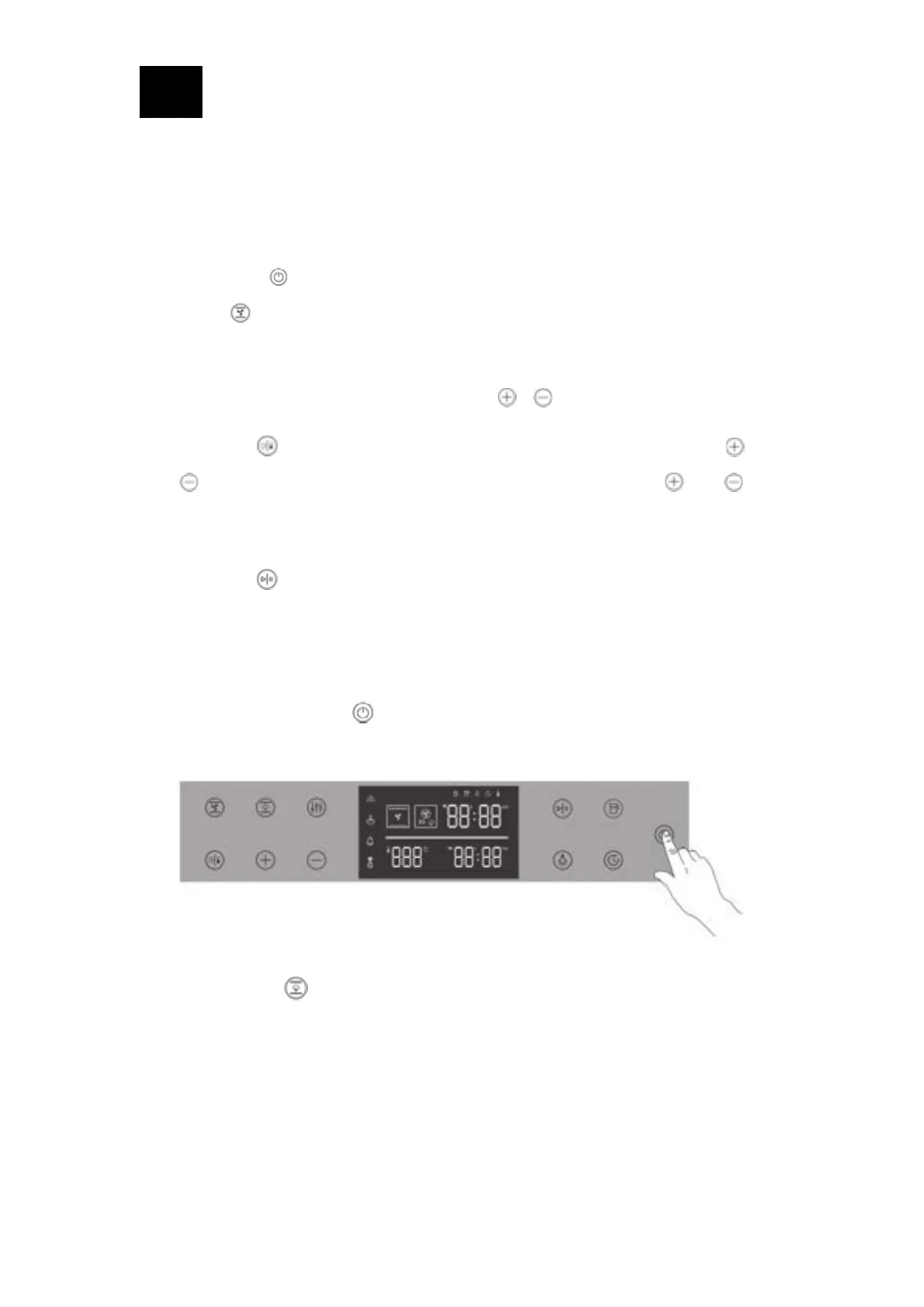
• Long press “ " key for 1.5s, and the oven will enter the standby state;
• Press “ " key to select the baking mode, and switch the function once each
time; the default operating temperature and function icon and the default time
flashes are displayed on the screen;
• Set the required cooking time by pressing “ " “ " keys;
• Press the “ " key, the temperature value starts to flash, then press the “ " and
“ " keys to set the baking temperature, each time you press “ " or “ ", the
temperature will change 1 degree; long press, the temperature will increase
continuously.
• Press the “ " button, the oven will immediately start the baking function;
• QuickStart Steam-assisting function
1. Start the steam -assisting function
Step 1: Press and hold the “ ” power button for 1.5s, the display is on, and the oven
enters the standby state.
Step 2: Press the “ ” key once to select the function, the display shows as follows,
and the time value flashes at 20min




 To Next Page