17
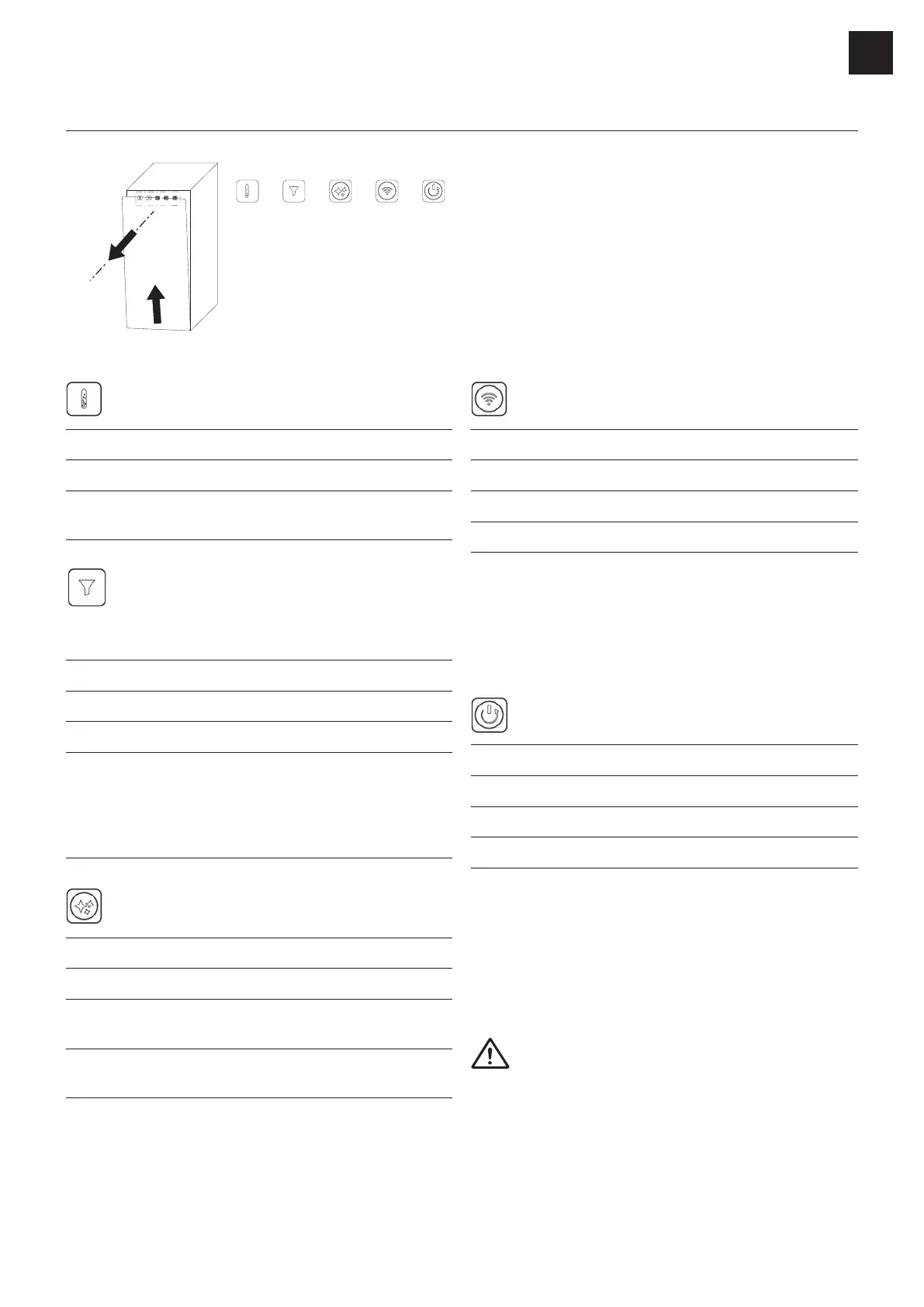
User interface
A B C D E
A.
B. Filter runtime
C. Cleaning
D. Connectivity
E. Reset / Holiday mode
CO₂-level
Status LED Meaning
Constant: Green
Flashing: Red
empty
Filter runtime
(only for lters with RFID tag)
Status LED Meaning
Constant: Green
Flashing: Red
Constant: Red
months depending on water
Cleaning
Status LED Meaning
Constant: Green
Flashing: Red
cleaning > 6 months
Flashing: Blue
Cleaning process running
To start the cleaning program, press the button for
Connectivity
Status LED Meaning
Constant: White Connection active
Connection inactive
Flashing: Blue Connection pairing mode
The device can be connected to an app.
▶ To activate the connection, press the button for
▶ To deactivate the connection, press the button for
Reset / Holiday mode
Status LED Meaning
Constant: Green Operation mode active
Flash: Green Device restarts
Flash: Red Holiday mode activated
▶ To reset / restart the unit, press the button for
▶
▶ To wake up the unit from holiday mode, press any
button.
and restart the device. If that does not help, please
contact the customer service.
EN




 To Next Page