Part No. 90-0113-00
Fdmman2.p65 2/98
INSTALLATION
Follow these instructions to insure proper
start up and confirm that the installation is
correct.
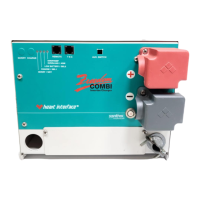
1. Check to make sure the power switch
on the inverter is in the OFF position. If con-
nected to a Freedom Remote Control Panel
or a Link Instrument, make sure the switches
for the inverter and charger are OFF.
2. Check battery polarity. If the unit was
connected to the battery with reverse polarity,
the unit will be damaged. The positive battery
cable has red heat shrink insulation on the
end.
3. Check the battery voltage and ensure
it is within proper range for the unit (10-15
VDC).
Do not apply shore power or generator
power without perfoming the following
steps:
1. Test the inverter function:
• With no loads connected to the ouput of
the inverter, turn ON the power switch on the
inverter. If using a remote, leave the power
switch on the unit OFF and turn ON the
inverter with the switch on the Freedom
Remote Control Panel or Link Instrument.
• The Freedom unit will produce a slight
buzz. If using a Freedom Remote Control
Panel, the INV/CHRG LED will illuminate and
the voltage indicator will display the battery
voltage. The DC Amps LED will not be lit
because the unit is in the idle mode.
• Add a load to the output of the inverter.
An incandescent light bulb will work fine. The
light should come on and the DC Amps LED
will indicate the DC draw from the battery
Do not turn the inverter ON before
eliminating any possibility of backfeed.
WARNING
26
through the inverter. Leave the load con-
nected and turn OFF the unit at the power
switch on the Freedom Remote Control Panel
or Link Instrument.
•Turn OFF the unit at the power switch or
on the Freedom Remote Control Panel or Link
Instrument.
2. Test the transfer function:
NOTE: The front panel “Power” switch does
not disconnect DC or AC power to the unit.
• Be sure all the power switches are in the
OFF position. If there is a back-feed in the
installation, the unit will protect itself only if the
switch is turned OFF.
• Apply shore power to the unit. The unit
should transfer shore power and illuminate
the light bulb or power the load with the switch
in the OFF position. If this does not happen,
do not proceed. If you are using a Freedom
Remote Control Panel, check the panel for
back-feed indication. The panel will show an
overload condition and LEDs 1 and 6 will be
lit. Eliminate the back-feed condition.
• If you are not using a Freedom Remote
Control Panel, test for back-feed. Disconnect
from shore power and disconnect the AC
ouput wires on the inverter. Apply shore
power and measure for voltage between the
black and white wires that feed the electrical
panel, not the inverter wires. If there is voltage
on these wires, a back-feed condition exists


 To Next Page