8
OPERATION GUIDE
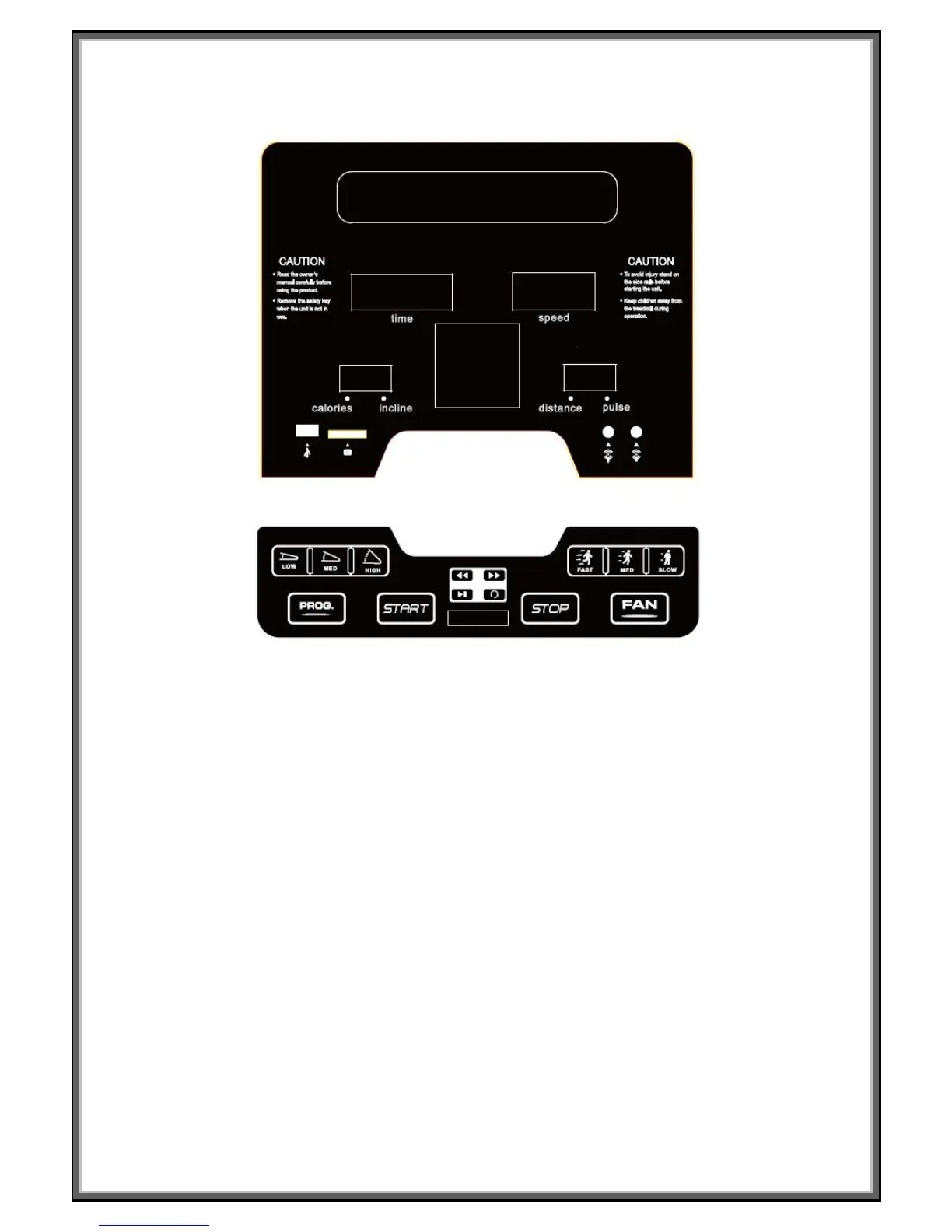
WINDOW DISPLAY:
1. “TIME” window: Displays running time (minutes : seconds).
In modes where a time target has not been specifically set the display will count up from 0:00. If the count
reaches 99:59 the machine will turn off slowing the belt smoothly and the console will return to its initial
state. When a time has been preset the count will decrease from the preset to 0:00. Once 0:00 is reached
the machine will slow down and then stop and the console will return to its initial state.
2. “DIS. & PUL.” window: Shows both Distance (kilometers) and Pulse (beats per minute),
Unless a preset distance target has been entered the window will show the distance in km counting up
from 0.00 to 99.9. When a distance has been preset it will count down show from the distance set to 0.00;
When 0.00 is reached, the machine will stop smoothly, show ‘End’ on the display and enter into its initial
state after a further 5 seconds. To display the runner’s heartbeat the runner holds handle pulse grips with
two hands, the system will calculate the runner’s heart beat and show in this window. The range is 50-200
beats/min. While in startup mode the window will show the program information P1-P24, U1-U3 or FAT.
Please note this data is just for reference, it cannot be used as medical data.
The accuracy of readings can be affected by many factors including conductivity of the users hands,
strength of the users own electrical signal, cleanliness of the sensors and external interference to name a
few. Unfortunately for some people there is no way of accurately measuring their pulse using this type of
technology. A heart rate belt and watch may be a better option.


 To Next Page