9
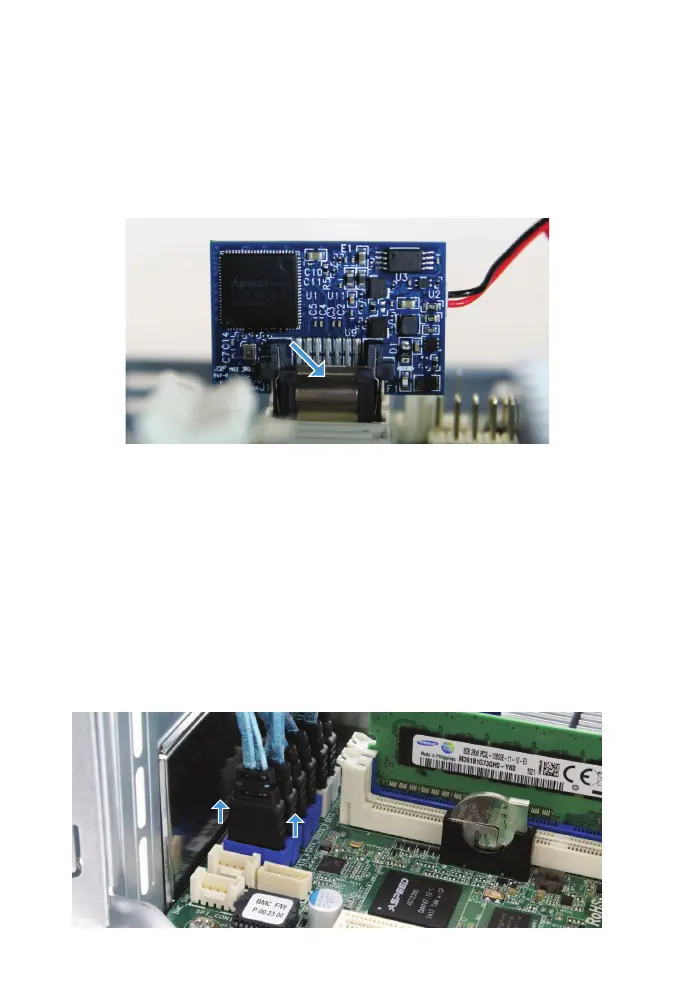
SATADOM REMOVAL
Gently depress the latch while pulling upward to remove the SATADOM
from the SATA slot.
FREENAS MINI SATA CABLE REMOVAL
Remove the four SATA cables connected to the blue SATA connectors, and
any optional SATA cables connected to the white slots.
Remove each connector individually by gently pulling upward on the black
part of the connector.
Latch



 To Next Page