7
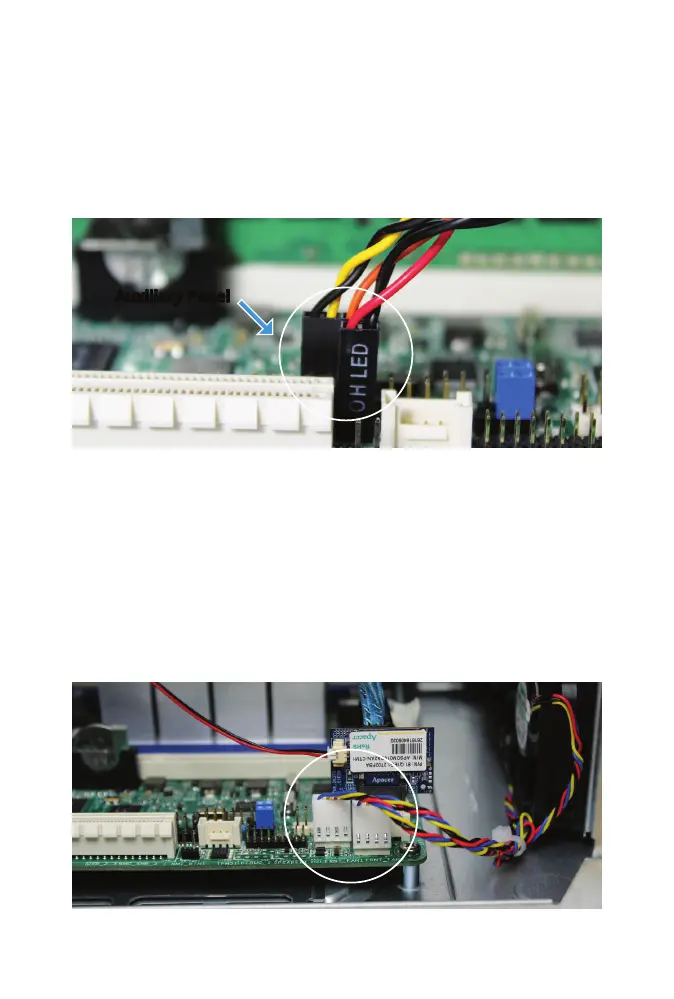
AUXILIARY PANEL CABLE REMOVAL
Remove the three cables connected to the Auxiliary Panel Header. With
each connector, grip the wires and gently pull upward to disconnect.
FREENAS MINI XL FRONT FAN CABLE REMOVAL
The Mini XL has two extra fans that connect to the two front fan headers
on the motherboard. Disconnect each connector by gripping and gently
pulling upward.
Auxiliary Panel



 To Next Page