5
MEMORY REMOVAL, PART 1
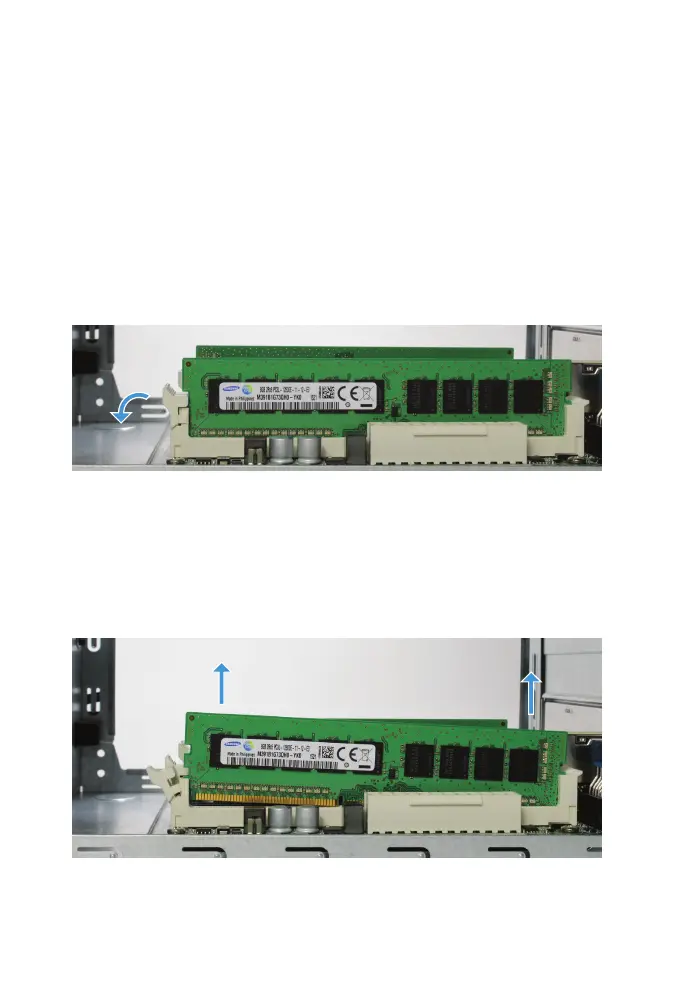
There are four memory slots, two on each side of the motherboard.
Memory on the power supply side of the motherboard is removed in this
step.
One end of each memory slot has a hinged latch, while the other end has a
xed latch. Press down on the hinged latch to release the memory module
from the memory slot.
Gently pull upward to remove the memory module from the memory slot.
If a second memory module is present, remove it also.



 To Next Page