22
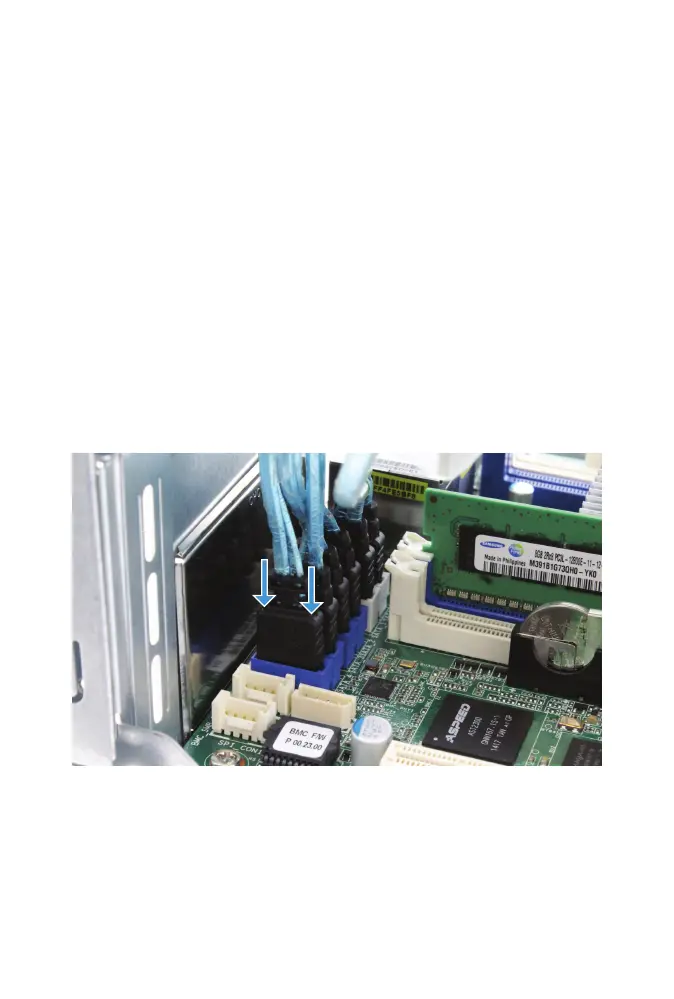
FREENAS MINI SATA CABLE CONNECTION
SATA cable connectors have an L-shaped key and only t into the mother-
board connector one way. Reconnect the SATA cables from the drive
bay to the blue motherboard SATA ports. There are two SATA cables for
optional SSD cache drives. If present, the SSD cache drives are installed on
the top or side of the drive cage. When the optional SSD cache drives are
not present, the unused cables are usually zip-tied to the chassis. Connect
these cables to the white motherboard SATA ports.
For more information on SSD cache drive installation, see the FreeNAS Mini
and XL Hardware Guide at https://www.ixsystems.com/FreeNAS_Mini_HW_
Upgrade.pdf.
Gently press each connector into place until it stops.
The SATA cables connected to the drive cage might be marked with one to
four horizontal lines to show which drive is attached. These marks can be
used to sort the cable attachment in drive order.



 To Next Page