4
REMOVING THE CABLES AND COMPONENTS
All cables and components must be disconnected or removed before the
motherboard can be replaced.
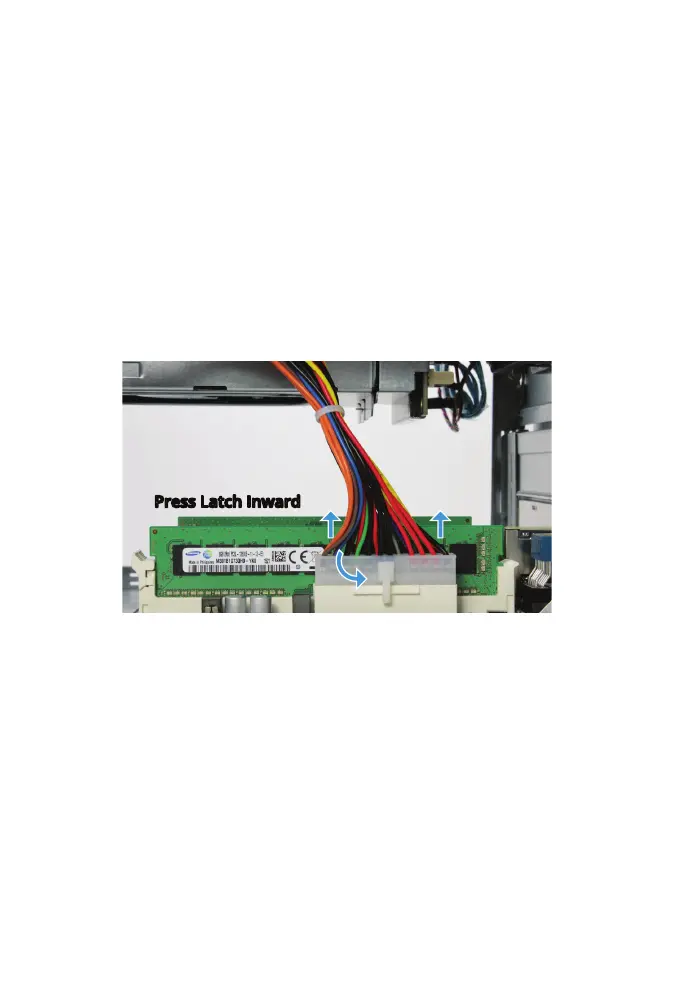
POWER SUPPLY CONNECTOR REMOVAL
The power supply is connected to the motherboard with a 24-pin
connector.
Press in on the upper part of the latch and pull the connector upward to
disconnect the power supply cable.
Note: Force may be needed as the connector is tight. It helps to hold the
motherboard tray in place while pulling upward on the connector.
Press Latch Inward



 To Next Page