29
AUXILIARY PANEL CABLE CONNECTION
Reattach the connectors to the 20 pin Auxiliary Panel Header. These conn-
ectors include two NIC LED cables and the OH LED cable. Line up each
connector with the pins, make sure the wire colors match the diagrams
below, and gently press down until the connector is fully seated.
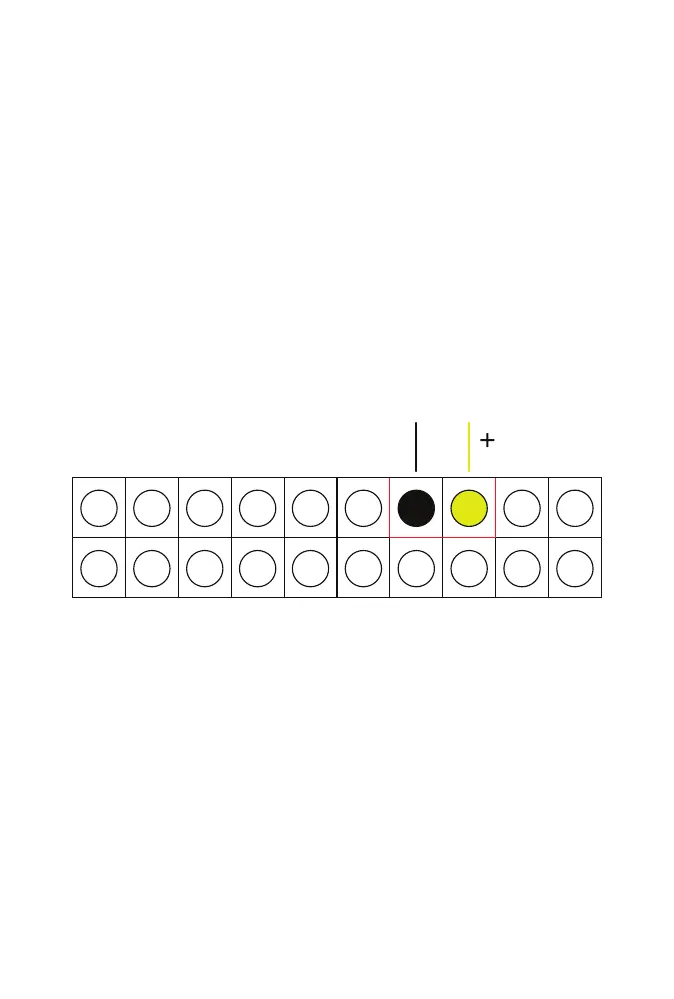
NIC LED (BLACK AND YELLOW)
Insert the rst NIC LED connector with the black wire on the left and the
yellow (+) wire on the right.
NIC LED



 To Next Page