6
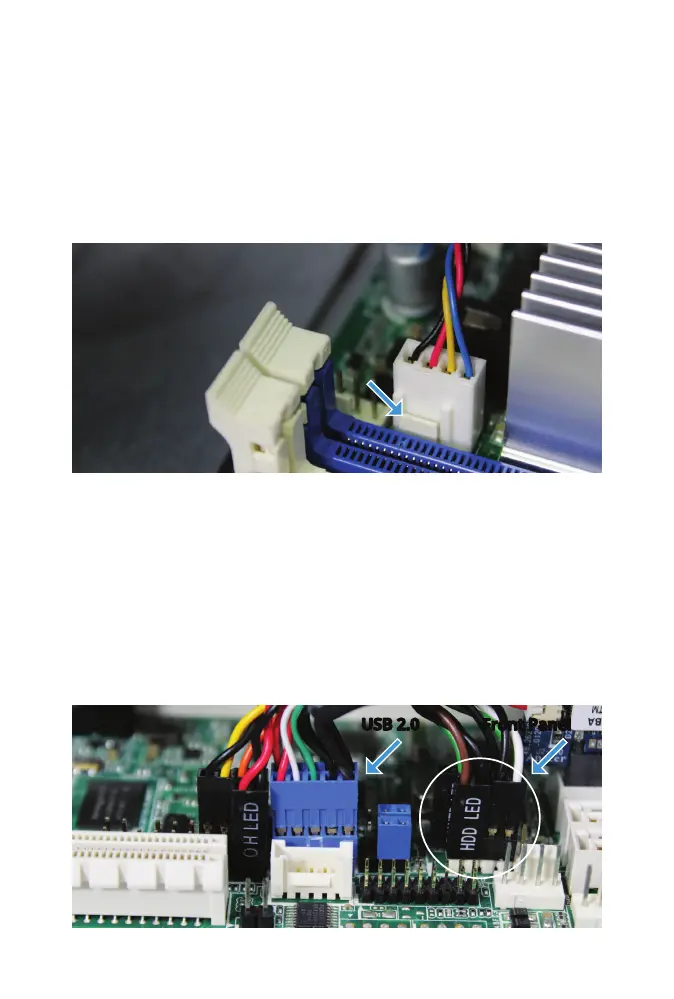
REAR FAN CABLE REMOVAL
Disconnect the fan wire from the Rear_FAN2 connector. Gently pull the
wire connector upward. If necessary, ex the locking tab outward with a
ngernail to get the connector to release.
FRONT PANEL AND USB 2.0 CABLE REMOVAL
Switch to the other side of the Mini to remove the four Front Panel Header
connectors and the USB 2.0 Header. For each connector, grip the cable and
gently pull upward to disconnect.
USB 2.0
Front Panel



 To Next Page