27
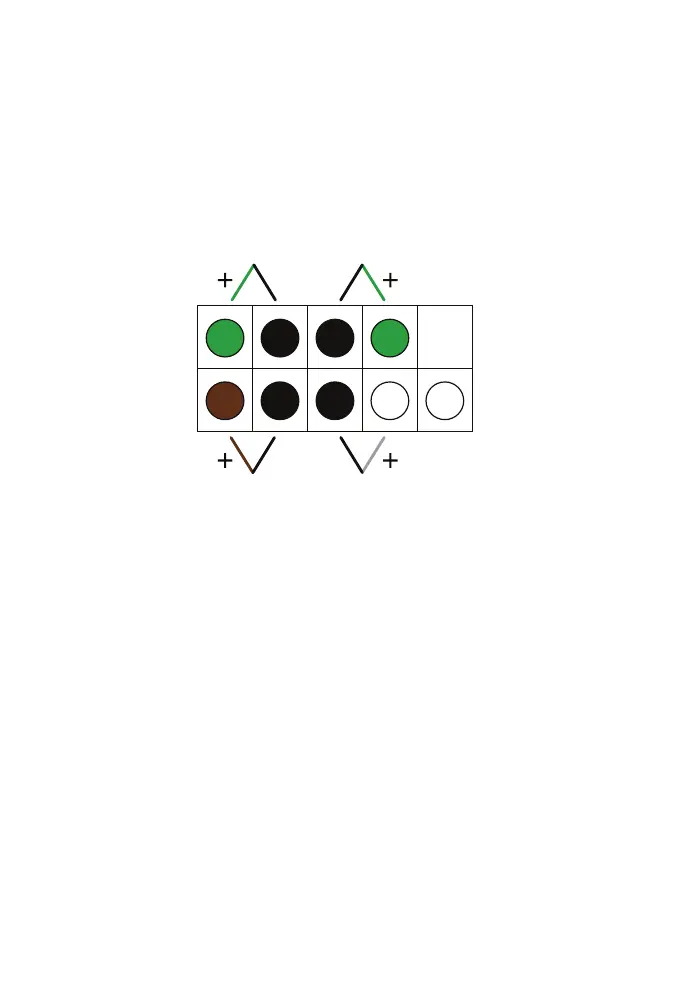
SYSTEM PANEL HEADER CONNECTION
Reattach the System Panel Header connectors. These include the Power
LED, HDD LED, Power Switch, and Reset Switch.
Power LED Power Switch
HDD LED Reset Switch
Line up each connector with the correct pins on the header and gently
press down until it is fully seated. Make sure wire colors match the dia-
gram above.



 To Next Page