23
FREENAS MINI XL SATA CABLE CONNECTION
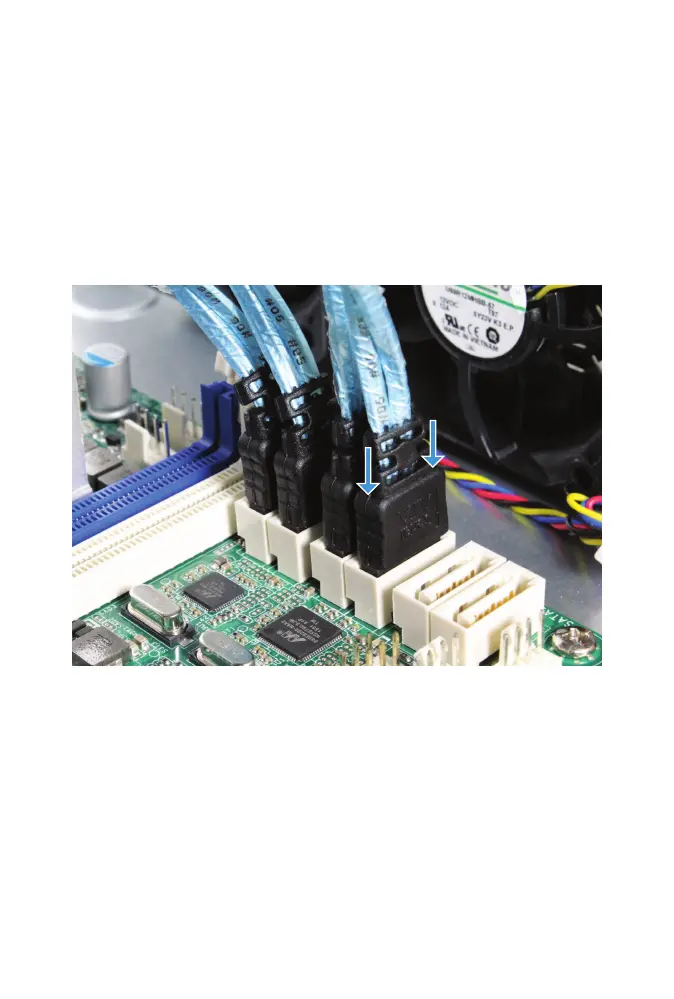
The FreeNAS Mini XL has four extra drive bays that connect to the
motherboard SATA cable connectors. These connectors have an L-shaped
key and only t into the motherboard connector one way. Reconnect the
six SATA cables connected to the drive cage into any of the blue and white
motherboard SATA ports next to the I/O panel.
If the optional SSD cache drives are present, connect their SATA cables
to the SATAIII_M0 and SATAIII_M1 motherboard connectors. It does not
matter which cable goes to which connector.



 To Next Page