32
FAN CABLE CONNECTION
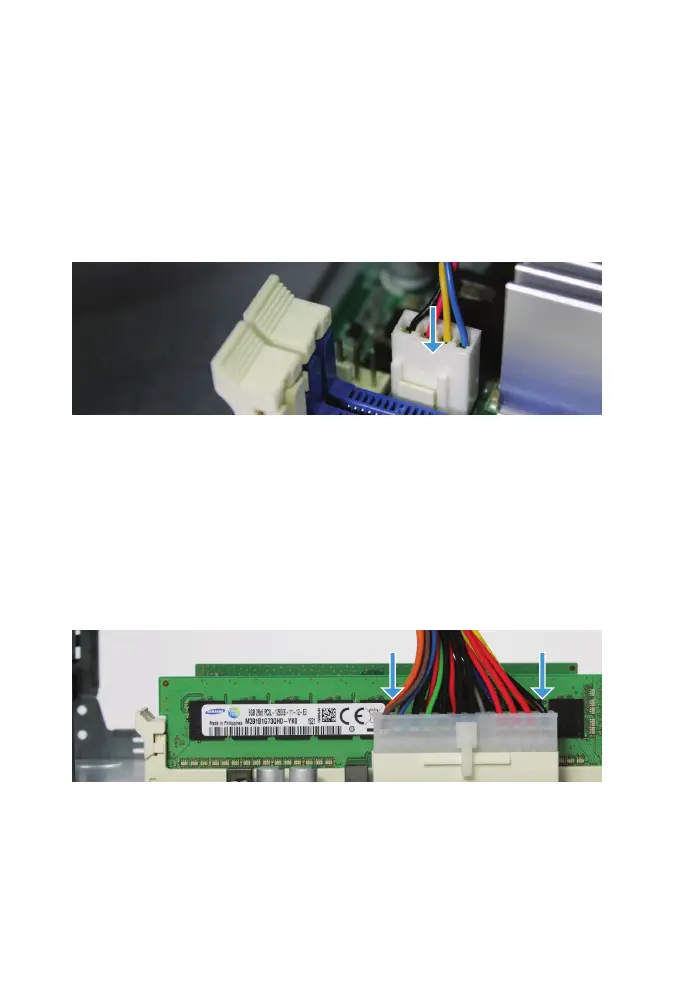
Turn the case around so the REAR_FAN2 connector near the CPU heatsink is
accessible. This is the side of the system with the power supply connector.
Gently press the white fan cable connector down until it is fully seated on
the REAR_FAN2 connector next to the heatsink.
POWER SUPPLY CONNECTION
Align the power supply cable with the connector. Press down rmly with
both hands until fully seated and the latch is engaged.
CLOSING THE CASE
Slide the case back on, being careful not to pinch any cables. Replace the
four thumbscrews in the back.



 To Next Page