P a g e | 31 of 40
FREMCO A/S
ELLEHAMMERVEJ 14 | DK9900 FREDERIKSHAVN, DENMARK | VAT NO.: DK30815416
TELEPHONE +45 7230 1213 | SALES@FREMCO.DK | WWW.FREMCO.DK
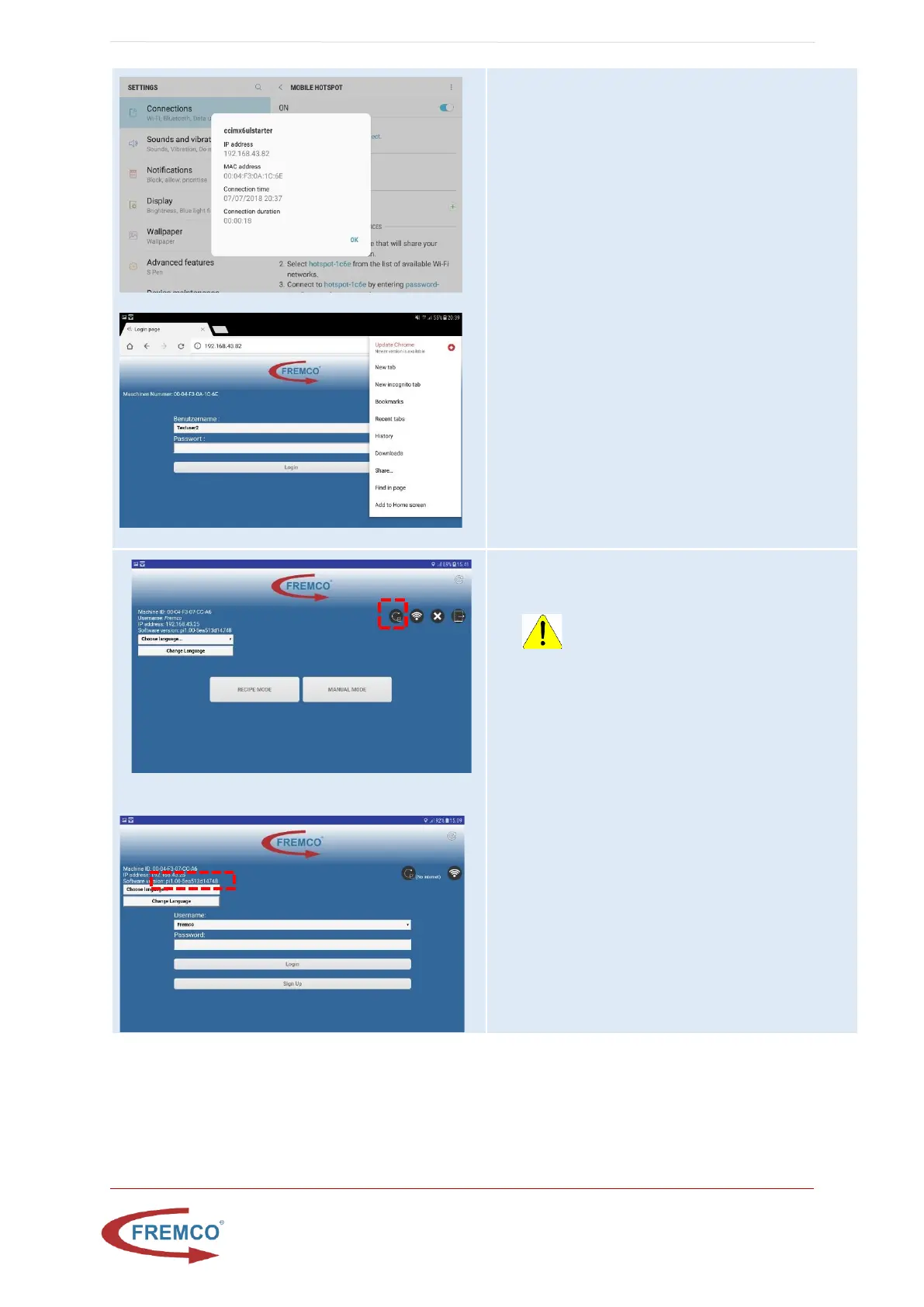
• Wait until ccimx6ulstarter connects
• Press ccimx6ulstarter under connected
devices
• Note the ip-address for ccimx6ulstarter
• Open Chrome browser and enter the ip-
address
• When page has loaded click button on top
right site of browser and select add to home
screen
• Write name e.g. “MicroFlow Hotspot”
• A new shortcut is now available at the home
screen that can be used in hotspot mode
Software update of controller
If there is a number greater than 0 besides the update
button, a new controller software is available.
WARNING: Do never turn off the
controller during a software update, make
sure to use a stable power supply and a
sim-card in the tablet with good internet
connection.
• The update will use approx. 50 MB data, please
insert a with mobile data enabled Sim card into
the tablet
• Press the update icon in the top right corner
when user is logged in to the controller
• Wait for the update to finish, this normally
takes no more than 10 minutes.
• If the system has not rebooted within 1 hour,
the system can be restarted manually by using
the power button.
• Restart controller and tablet and verify that the
Software version number has incremented.


 To Next Page