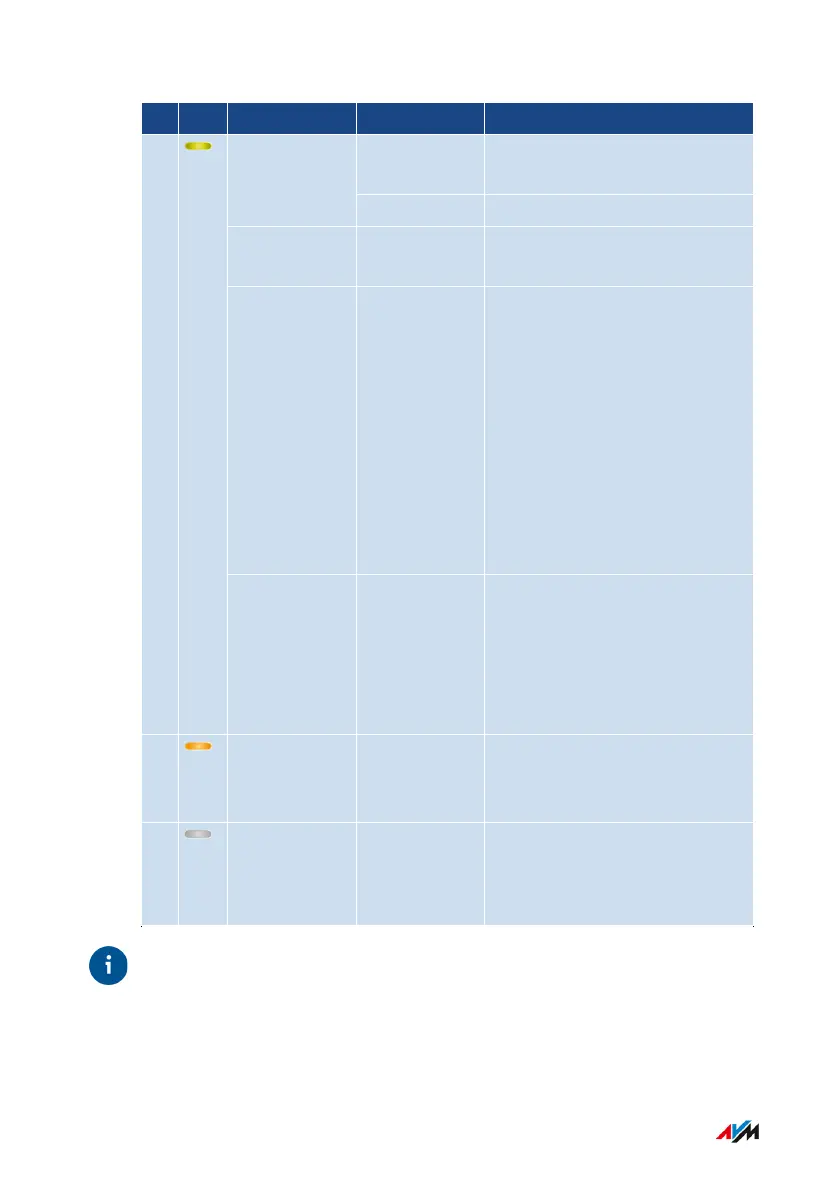
No. LED Condition Other LED Meaning
on Connection to the router es-
tablished
green
off FRITZ!Repeater starting
flashes every
2seconds
off No connection to router con-
figured
flashes twice
per second
off or on • Registering with router
• Establishing the Wi-Fi con-
nection at the push of a
button (performing WPS)
• Integrating a FRITZ! prod-
uct into the FRITZ!Box's
Mesh
• FRITZ!OS update in
progress
2
flashes 4
times per
second
on • Connecting via Wi-Fi abort-
ed: more than two devices
are performing WPS at the
same time
• Mesh activation failed
flashing or-
ange
off “LAN bridge” connection type
enabled, no cable connection
to the router
off off • no electrical power
• Wi-Fi switching schedule
enabled
Tip
You can adjust the brightness of the LEDs; see page65.
FRITZ!Repeater 6000 19
Functions and Structure
• • • • • • • • • • • • • • • • • • • • • • • • • • • • • • • • • • • • • • • • • • • • • • • • • • • • • • • • • • • • • • • • • • • • • • • • • • • • • • • • • • • • • • • • • • • • • • • • • • • • • • • •
• • • • • • • • • • • • • • • • • • • • • • • • • • • • • • • • • • • • • • • • • • • • • • • • • • • • • • • • • • • • • • • • • • • • • • • • • • • • • • • • • • • • • • • • • • • • • • • • • • • • • • • •















 To Next Page