Instructions: Opening the User Interface (No Connection to the Home Network
of the FRITZ!Box)
If the FRITZ!Repeater is not integrated in the home network of a FRITZ!
Box and does not have a connection to the internet router, then open
the user interface as follows:
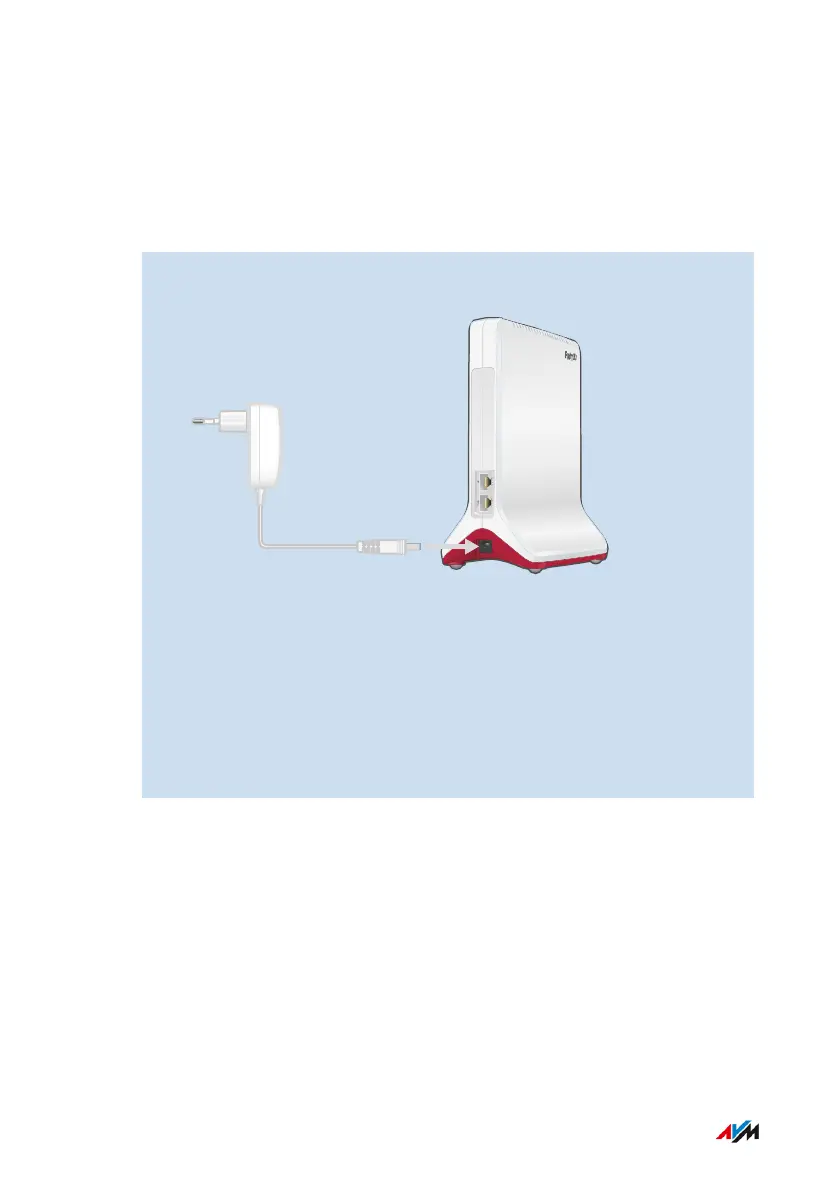
1. Connect the power adapter included with delivery to the “Power”
socket on the FRITZ!Repeater.
2. Connect the FRITZ!Repeater with a computer using a LAN cable,
or establish a Wi-Fi connection between the computer and the
FRITZ!Repeater.
The preset Wi-Fi network key of the FRITZ!Repeater is printed on
the bottom of the housing and on the back of the quick guide.
3. Open a web browser on the computer and enter the address
http://fritz.repeater or 192.168.178.2.
FRITZ!Repeater 6000 46
User Interface
• • • • • • • • • • • • • • • • • • • • • • • • • • • • • • • • • • • • • • • • • • • • • • • • • • • • • • • • • • • • • • • • • • • • • • • • • • • • • • • • • • • • • • • • • • • • • • • • • • • • • • • •
• • • • • • • • • • • • • • • • • • • • • • • • • • • • • • • • • • • • • • • • • • • • • • • • • • • • • • • • • • • • • • • • • • • • • • • • • • • • • • • • • • • • • • • • • • • • • • • • • • • • • • • •















 To Next Page