EasyManua.ls Logo

Froggit WH3000SE - Page 48

Froggit WH3000SE
89 pages
Print Icon
To Next Page IconTo Next Page
To Previous Page IconTo Previous Page
Loading...
48
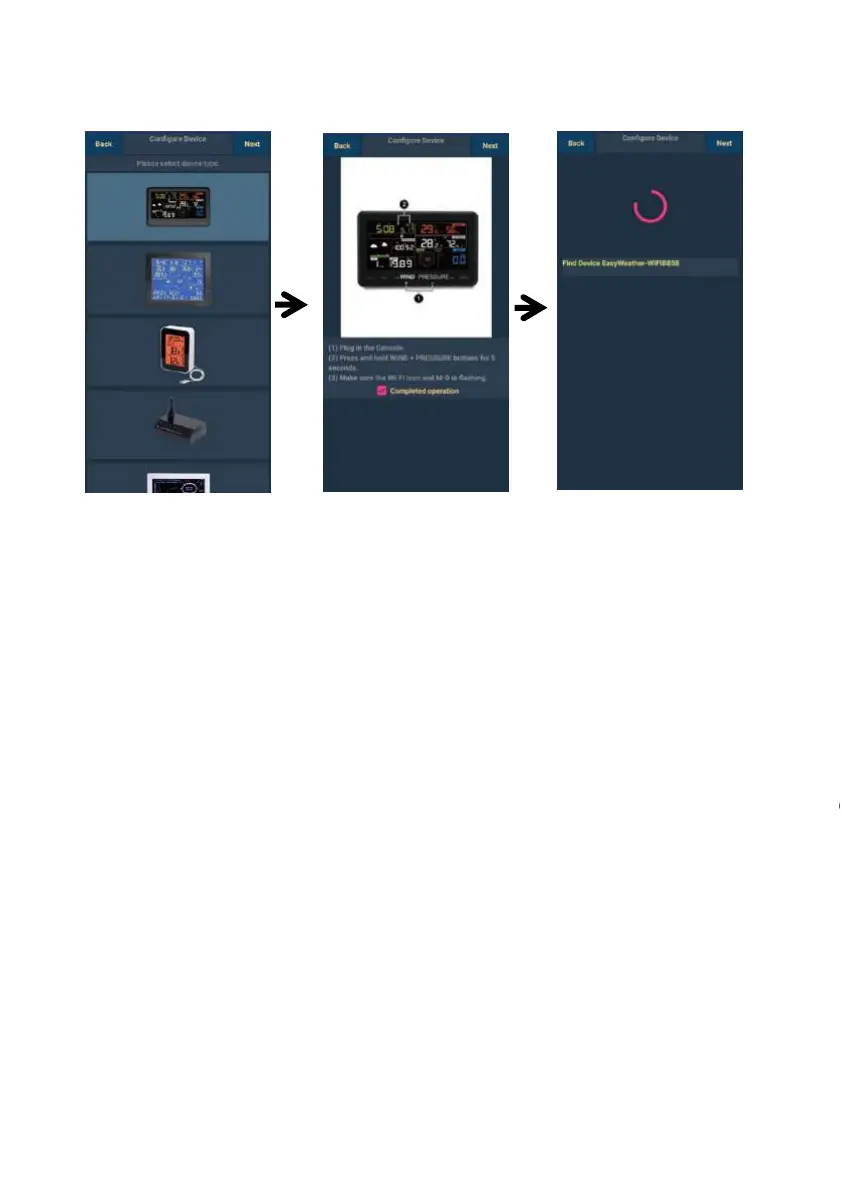
1)
Select the device you
have from the device
list, then press Next
2)
Operate as per the
information, tick the
box to confirm
“completed operation,
press Next.
3)
Start searching the
device. If the device is
in your WLAN list., it
will jump to the 4)
screen shot.
The device
“EasyWeather
followed by four
characters.
1)
Select the device you
have from the device
list, then press Next
2)
Operate as per the
information, tick the
box to confirm
“completed operation”,
press Next.
3)
Start searching the
device. If the device is
in your WLAN list., it
will jump to the 4)
screen shot.
The device named
“EasyWeather-WIFI”
followed by four

Table of Contents

Other manuals for Froggit WH3000SE

Related product manuals