EasyManua.ls Logo

Froggit WH3000SE - Page 55

Froggit WH3000SE
89 pages
Print Icon
To Next Page IconTo Next Page
To Previous Page IconTo Previous Page
Loading...
55
to Weathercloud.net
You will then be
to add a device/ Select
“Create device and enter
your stations information:
After registering your
station, take note of the
“Weathercloud ID and
“Key” presented to you.
Enter these values in the
1)
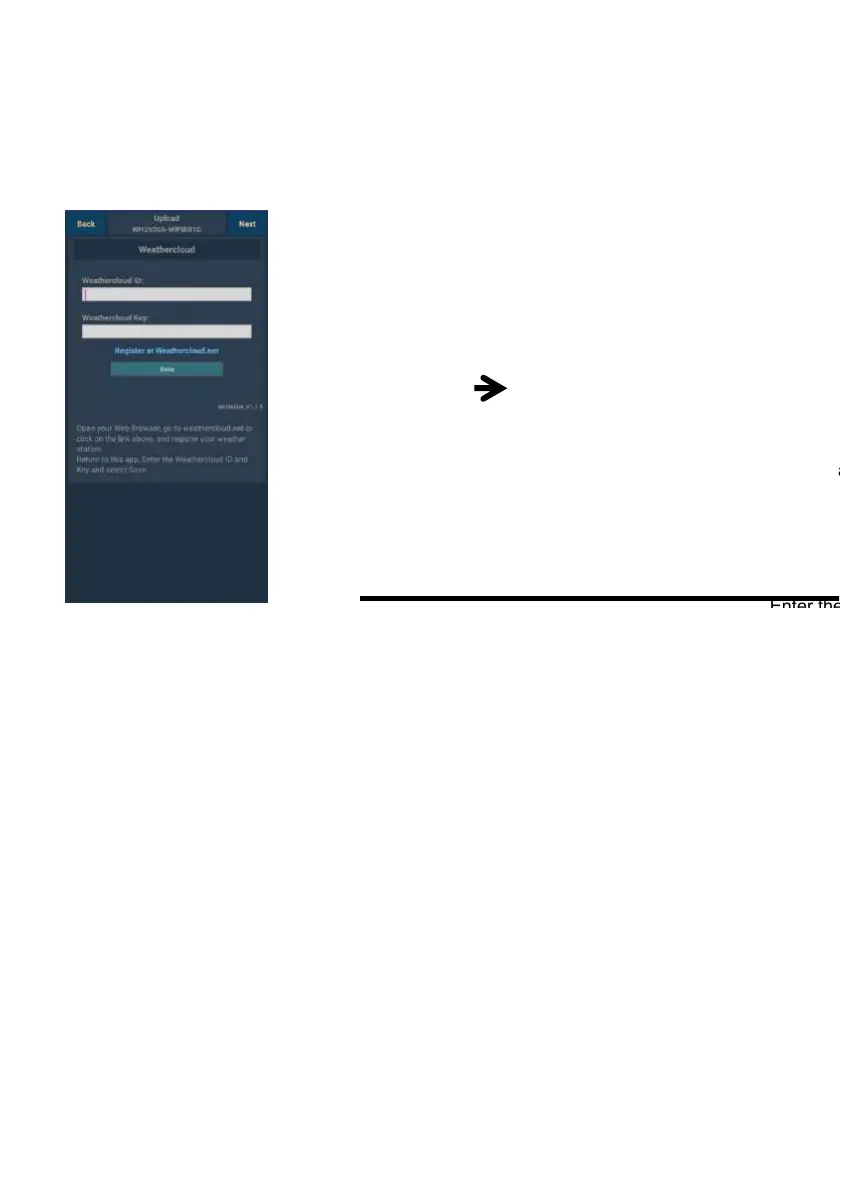
Upload your weather data to
Weathercloud.net
Input Weathercloud ID
&Weathercloud Key,
pressSave..
then press Next. ump to the
screen about Upload your
weather data to Weather
Observation
Website (WOW)
2)
Register at
Weathercloud.net
Visit weathercloud.net
and enter a Username,
Email and Password to
sign up
Respond to the
validationemail from
Weathercloud (it may
take a few minutes)

Table of Contents

Other manuals for Froggit WH3000SE

Related product manuals