Original manual – Iss. 0.1 User manual – BM 3E Freezer 20/ 44
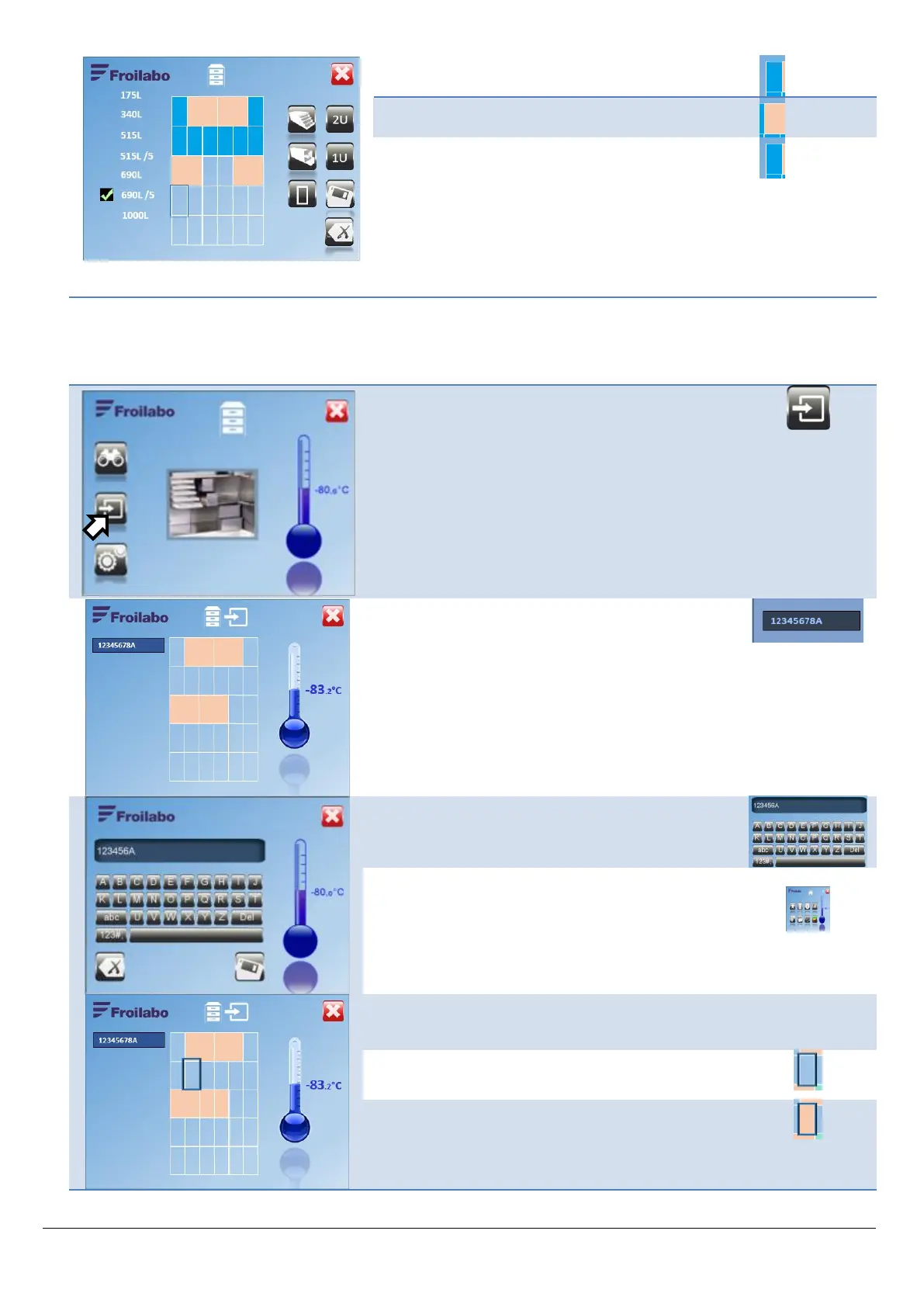
Example after configuring the top three
shelves.
Drawer elements are shown in blue.
Shelf elements are shown in cream.
The cursor is positioned on the next zone to be edited.
From the Mapping screen, access the Add sample menu.
Enter the access code (five digits).
Confirm.
Press the blue zone to enter a sample identifier. A data
entry keyboard is displayed.
Enter the sample identifier.
Save and confirm the data entered.
Select where the sample will be stored.


 To Next Page