Original manual – Iss. 0.1 User manual – BM 3E Freezer 29/ 44
6.16 ECO menu
The ECO menu can be used to define the freezer’s electricity consumption settings for each day of the week.
From the Home screen, access the Factory menu. This
menu is reserved for use on the production line.
Access is protected by a factory password.
Select the day of the week to be configured based on the
settings shown on the screen.
Monday = 1 to Sunday = 7
ECO mode: enabled (ON) or disabled (OFF).
Set the start time for ECO mode.
A numeric keypad is displayed. Enter the start time and
then confirm.
Set the stop time for ECO mode. A numeric keypad is
displayed. Enter the end time and then confirm.
Door seal heating mode: enabled (ON) or disabled (OFF).
In the OFF position, frost may build up on the seal, which
may then harden.
User presence detection mode: enabled (ON) or disabled
(OFF).
If this mode is disabled, the screen does not turn on when
movement is detected in front of the door.
Energy saving advice is displayed.
Setting the ECO mode setpoint.
A numeric keypad is displayed. Enter the desired
temperature and then confirm.
indication of the electricity consumption corresponding to
the settings.
Green: economical setting.
Red: setting with higher electrical consumption.
6.17 Closing the freezer
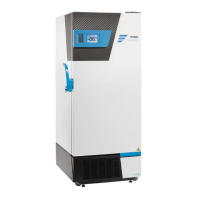
The freezer has a progressive sealing handle with a double-acting mechanism to facilitate opening and closing of the
door. The freezer door can be locked using a key-operated lock on the side of the handle.
6.18 Battery-backed alarm functions
In the event of a mains power cut, the buzzer, remote alarm and CO
2
injection (optional) functions remain active,
powered by a backup battery supplied as standard. The temperature display is also maintained.
Warning: The compressors are no longer powered and the freezer thus does not cool.


 To Next Page