16
Setting Ex-
ample
(continued)
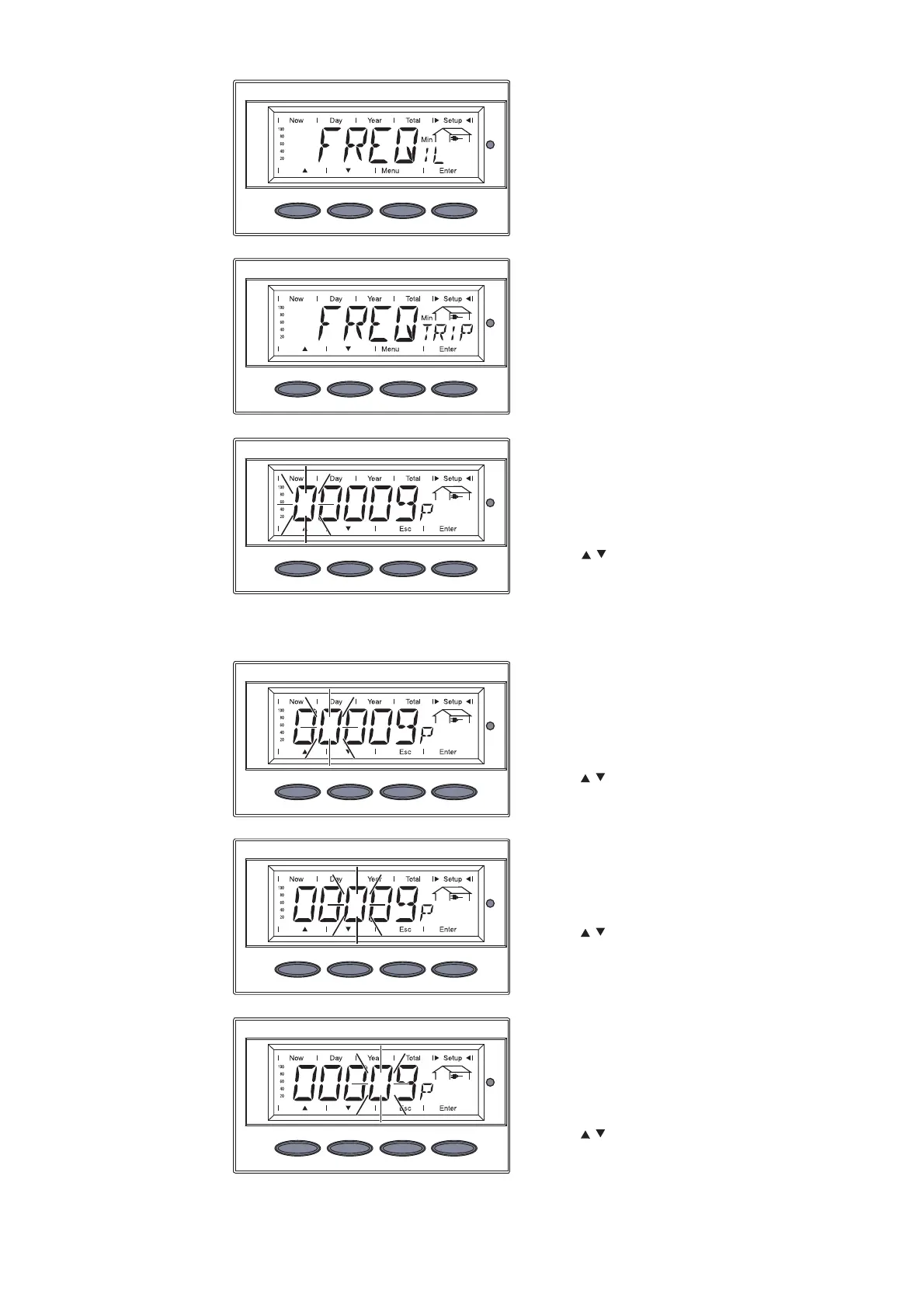
e.g.: ‘FREQTRIP
Min
’
The display switches between
‘FREQIL
Min
’ and ...
... ‘FREQTRIP
Min
’.
4. Press the ‘Enter’ key
The value of ‘FREQTRIP
Min
’ is
displayed, the first digit flashes.
5. Use the ‘Up’ and ‘Down’ keys to
select a value for the first digit
6. Press the ‘Enter’ key
The second digit flashes
7. Use the ‘Up’ and ‘Down’ keys to
select a value for the second
digit
8. Press the ‘Enter’ key
The third digit flashes.
9. Use the ‘Up’ and ‘Down’ keys to
select a value for the third digit
10. Press the ‘Enter’ key
The fourth digit flashes.
11. Use the ‘Up’ and ‘Down’ keys to
select a value for the fourth
digit
12. Press the ‘Enter’ key






 To Next Page