33FR-54RTR User Manual
Section 3 - Conguration
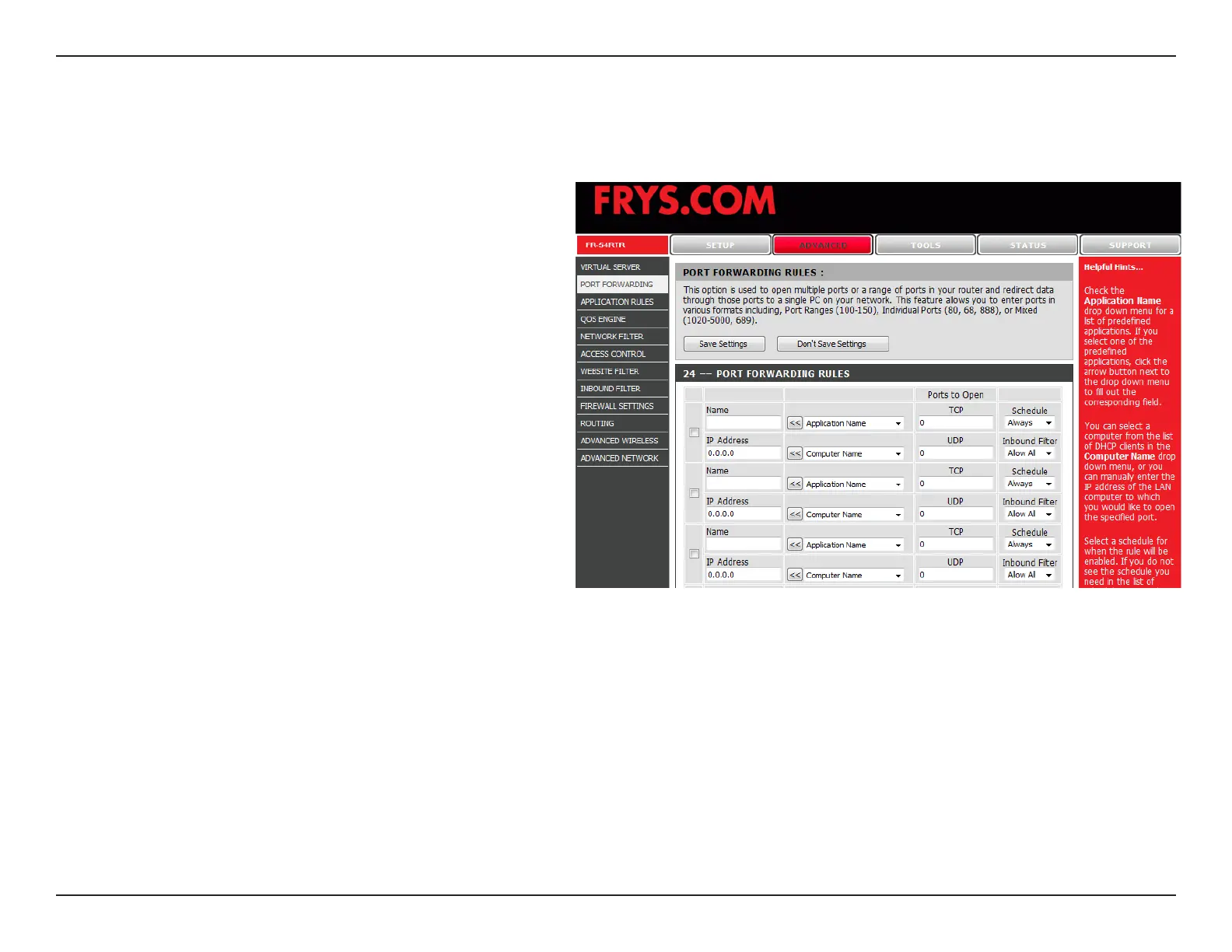
Port Forwarding Rules
This will allow you to open a single port or a range of ports.
Enter a name for the rule or select an application
from the drop-down menu. Select an application
and click << to populate the elds.
Enter the IP address of the computer on
your local network that you want to allow the
incoming service to.
Enter the TCP and/or UDP port or ports that you
want to open. You can enter a single port or a
range of ports. Separate ports with a common.
Example: 24,1009,3000-4000
Select Allow All (most common) or a created
Inbound lter. You may create your own inbound
lters in the Advanced > Inbound Filter page.
The schedule of time when the Virtual Server
Rule will be enabled. The schedule may be set
to Always, which will allow the particular service
to always be enabled. You can create your own
times in the Tools > Schedules section.
Name:
IP Address:
TCP/UDP:
Inbound Filter:
Schedule:


 To Next Page