36FR-54RTR User Manual
Section 3 - Conguration
Network Filter
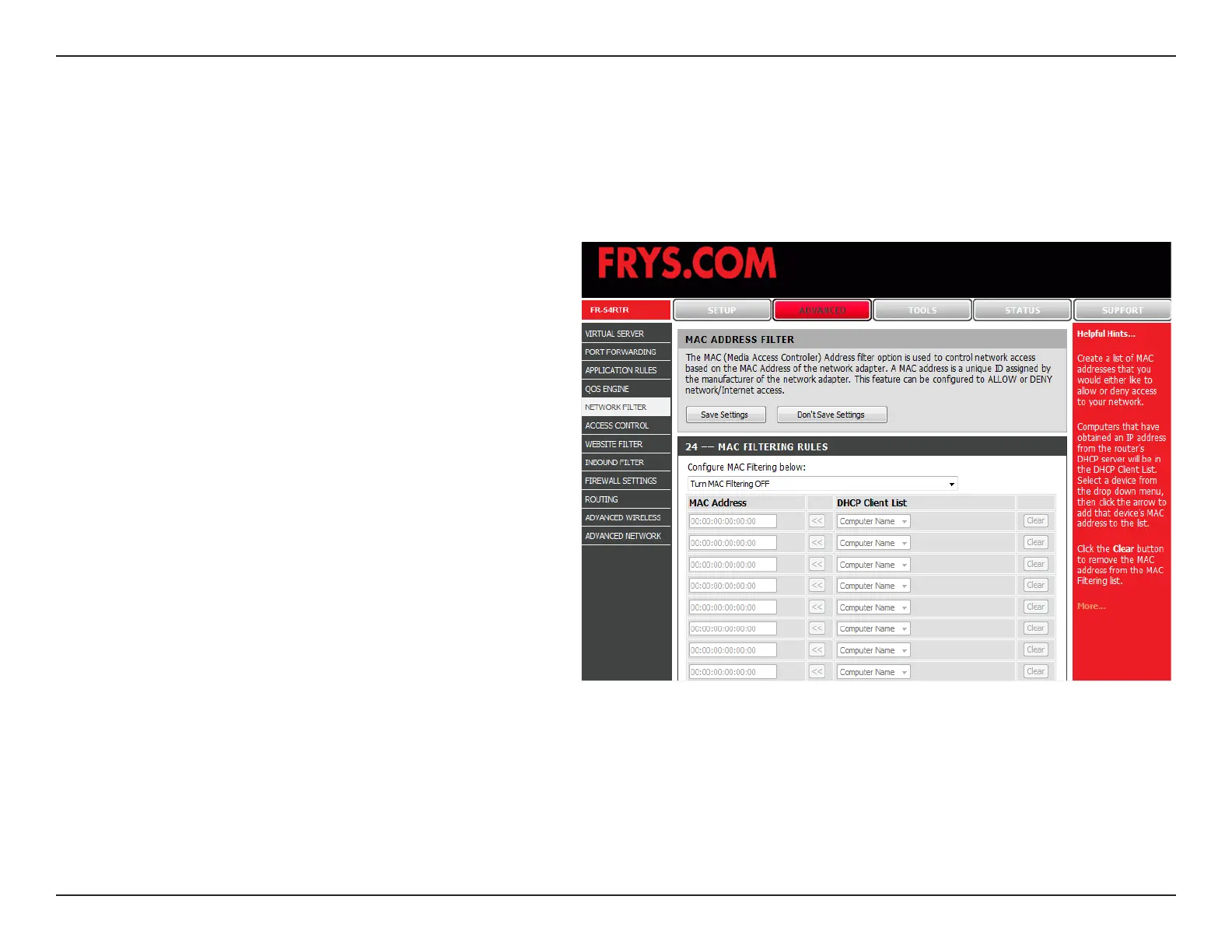
Select either Turn MAC Filtering OFF, Turn
MAC ltering on and ALLOW computers listed
to access the network, or Turn MAC ltering
on and DENY computers listed to access the
network.
Enter the MAC address you would like to
lter.
To nd the MAC address on a computer, please
refer to the Networking Basics section in this
manual.
Select a DHCP client from the drop-down
menu and click the arrow to copy that MAC
Address.
Congure MAC
Filter:
MAC Address:
DHCP Client:
Use MAC (Media Access Control) Filters to allow or deny LAN (Local Area Network) computers by their MAC addresses
from accessing the Network. You can either manually add a MAC address or select the MAC address from the list of
clients that are currently connected to the Broadband Router.


 To Next Page