46FR-54RTR User Manual
Section 3 - Conguration
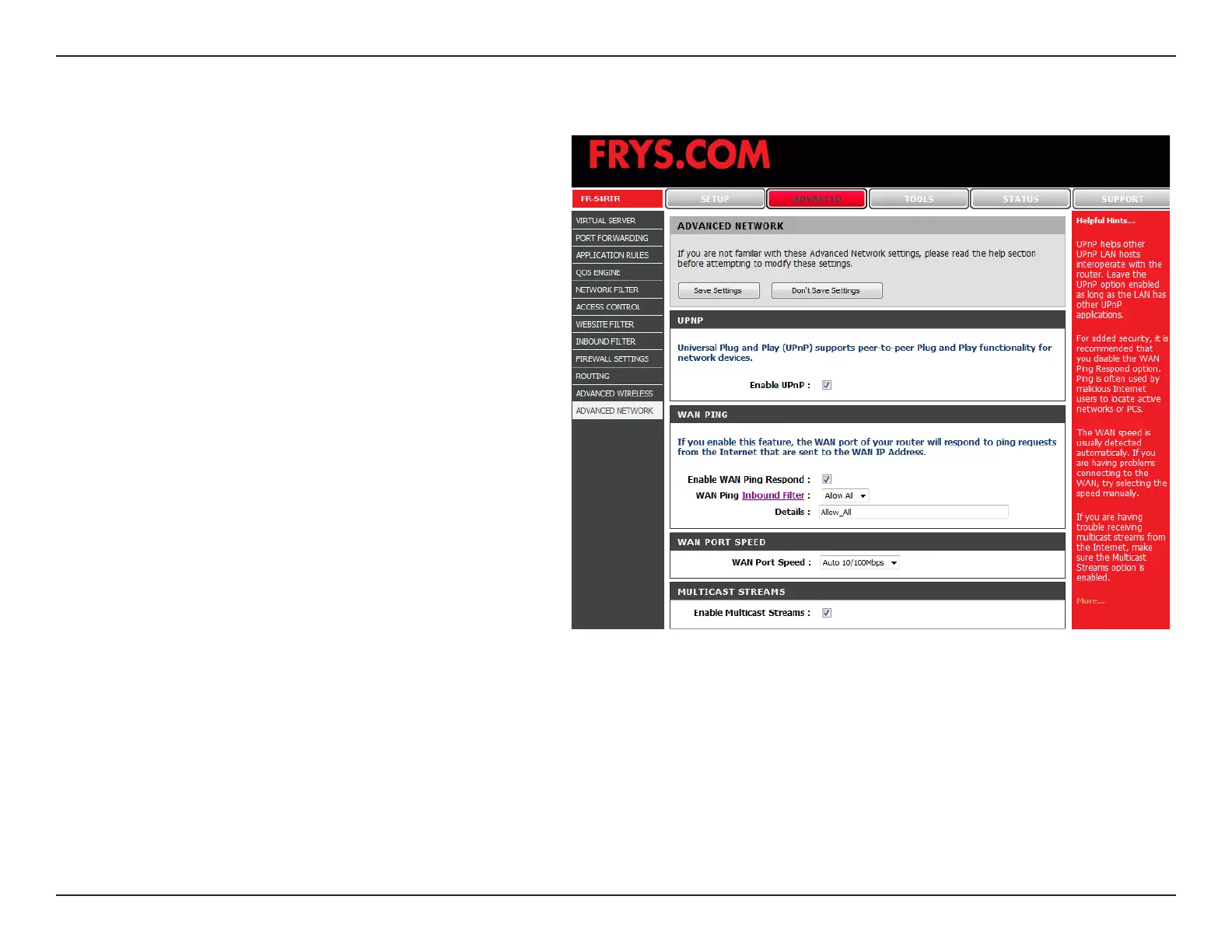
To use the Universal Plug and Play (UPnP
™
)
feature click on Enabled. UPNP provides
compatibility with networking equipment,
software and peripherals.
Unchecking the box will not allow the
FR-54RTR to respond to pings. Blocking the
Ping may provide some extra security from
hackers. Check the box to allow the WAN port
to be “pinged”.
You may set the port speed of the WAN port
to 10Mbps, 100Mbps, or auto. Some older
cable or DSL modems may require you to set
the port speed to 10Mbps.
Check the box to allow multicast trafc to pass
through the router from the Internet.
UPnP Settings:
WAN Ping:
WAN select to
10/100 Mbps:
Multicast
streams:
Advanced Network Settings


 To Next Page