34FR-54RTR User Manual
Section 3 - Conguration
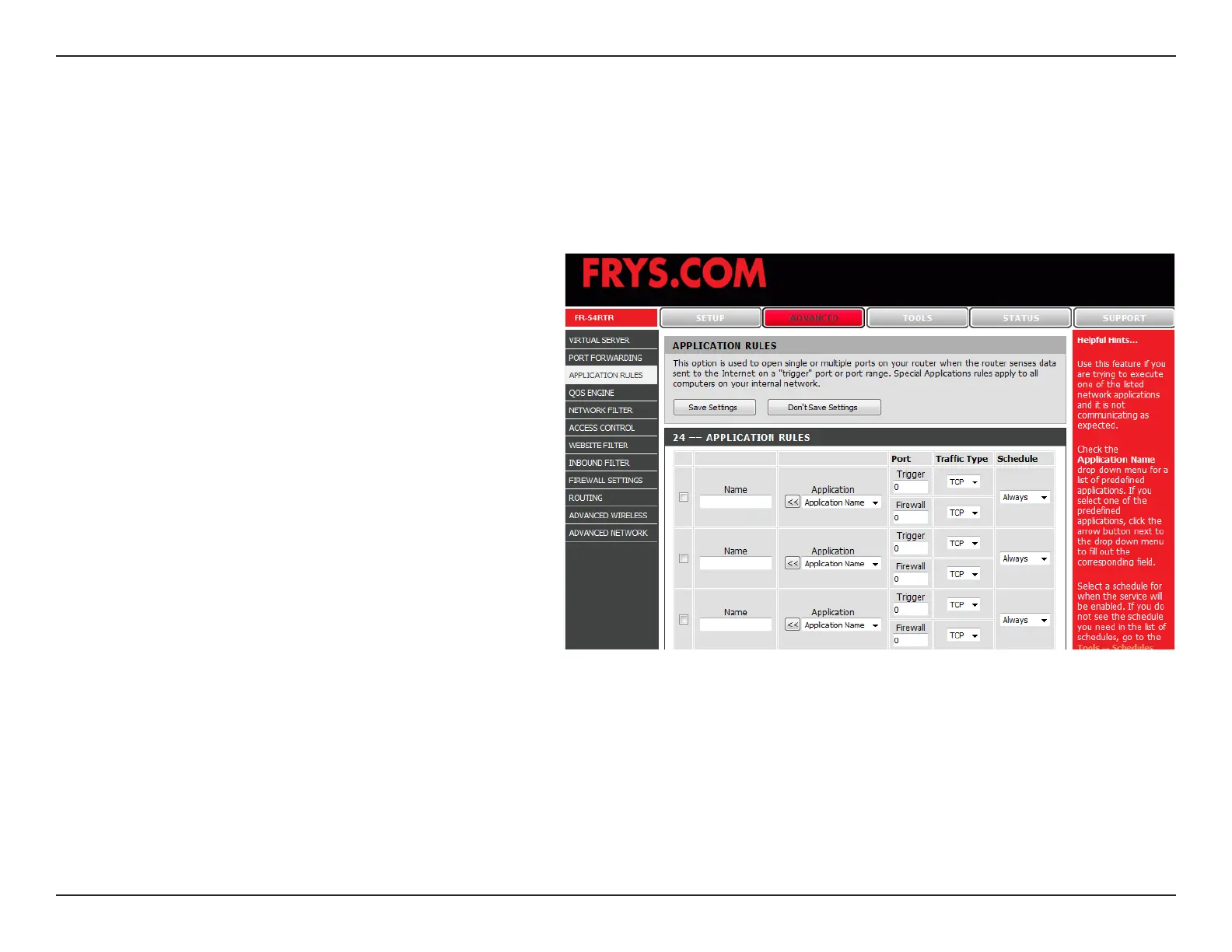
Application Rules
Some applications require multiple connections, such as Internet gaming, video conferencing, Internet telephony and
others. These applications have difculties working through NAT (Network Address Translation). Special Applications
makes some of these applications work with the FR-54RTR.
Check the box to enabled the rule.
Enter a name for the rule.
This is the port used to trigger the application. It
can be either a single port or a range of ports.
This is the port number on the WAN side that
will be used to access the application. You may
dene a single port or a range of ports. You
can use a comma to add multiple ports or port
ranges.
Select TCP, UDP, or ANY.
Rule:
Name:
Trigger Port:
Firewall Port:
Trafc Type:


 To Next Page