57FR-54RTR User Manual
Section 3 - Conguration
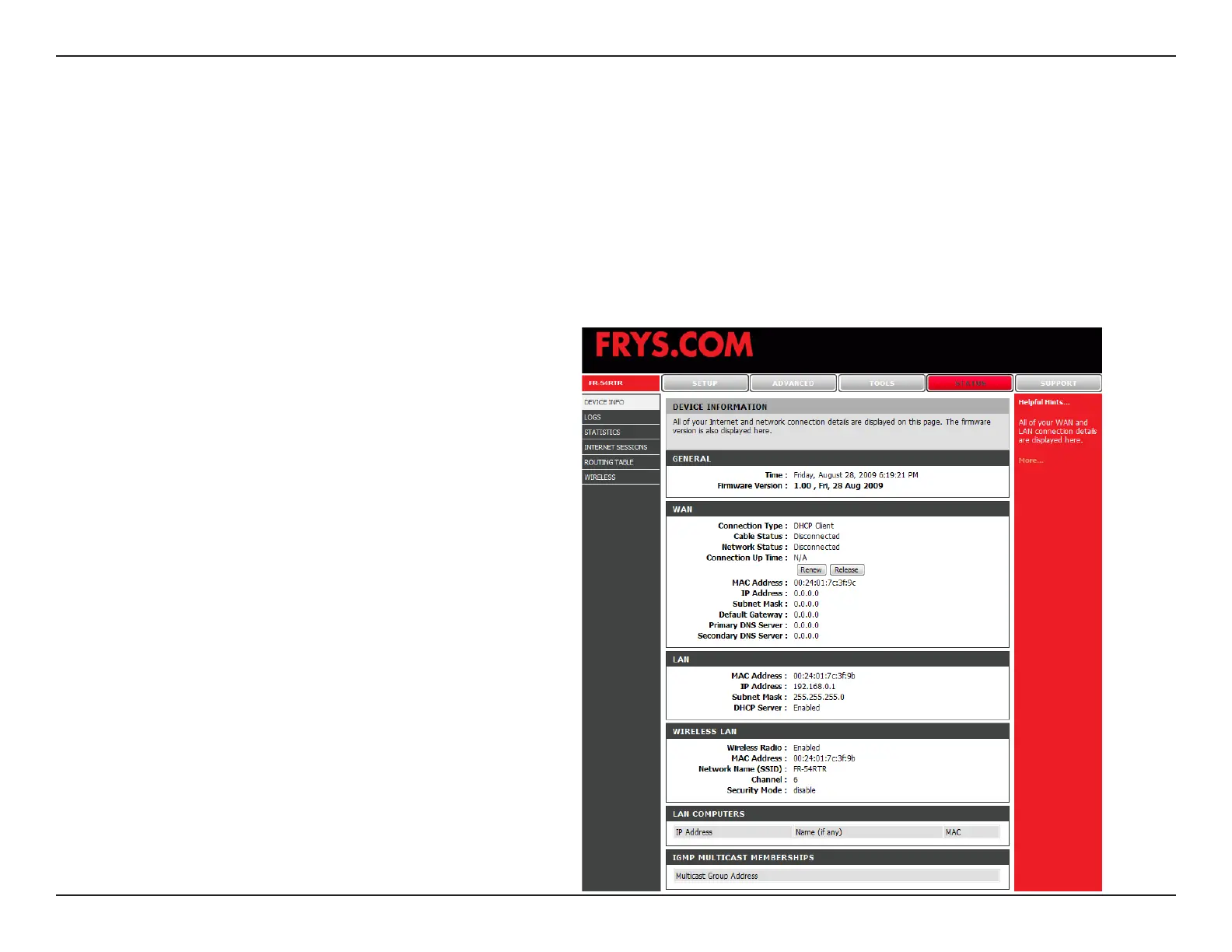
Device Information
This page displays the current information for the FR-54RTR. It will display the LAN, WAN, and Wireless
information.
If your WAN connection is set up for a Dynamic IP address then a Release button and a Renew button will be displayed.
Use Release to disconnect from your ISP and use Renew to connect to your ISP.
If your WAN connection is set up for PPPoE, a Connect button and a Disconnect button will be displayed. Use
Disconnect to drop the PPPoE connection and use Connect to establish the PPPoE connection.
Displays the MAC address and the private
(local) IP settings for the router.
Displays the MAC address and the public IP
settings for the router.
Displays wireless settings such as SSID,
Channel, and Encryption level.
LAN:
WAN:
Wireless:


 To Next Page