71FR-54RTR User Manual
Section 4 - Security
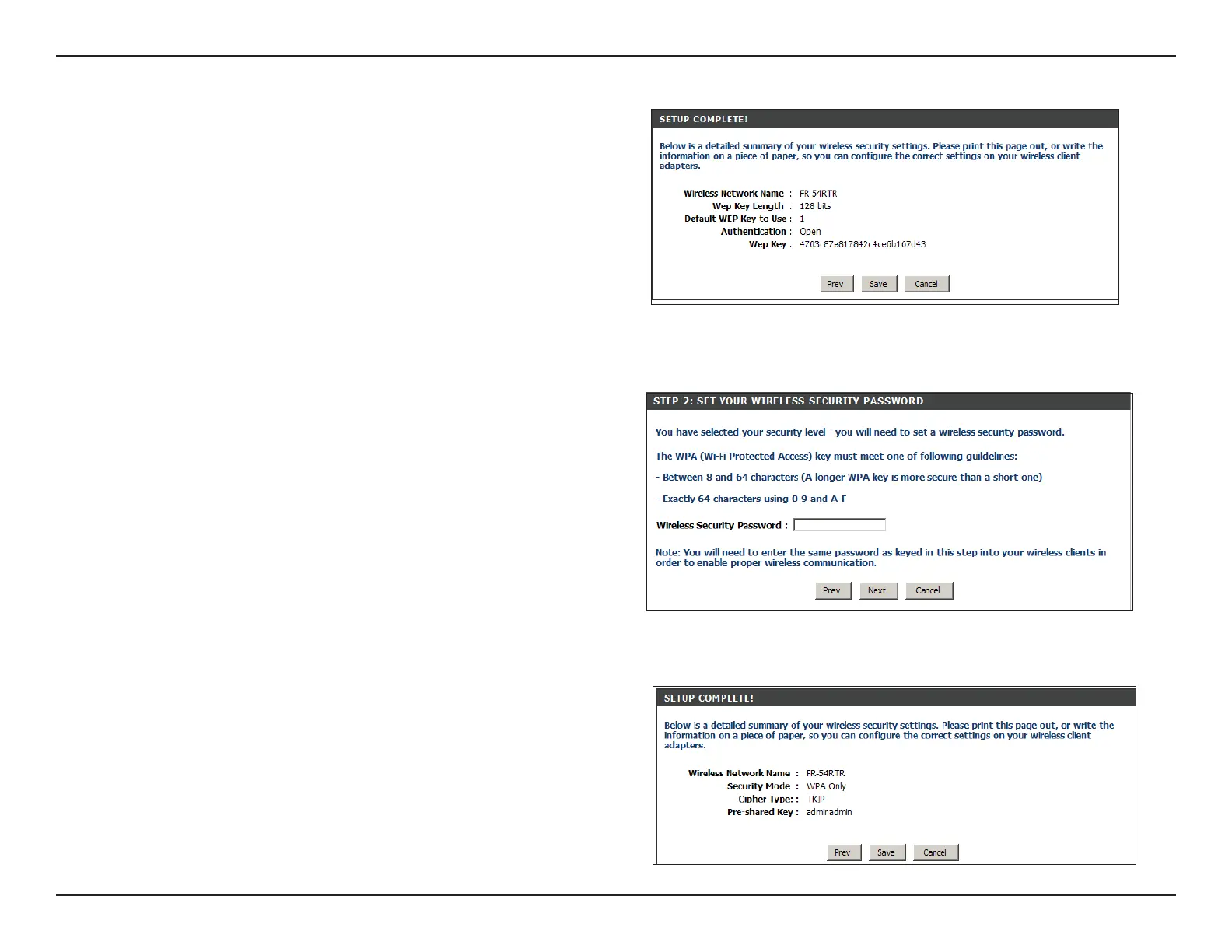
This screen will appear once your Setup is complete.
Click Save to nish the Security Wizard.
If you selected to Manually assign a network key,
enter your encryption key in the box and click Next to
continue. You will need to enter this key for your wireless
clients to connect to the router.
If you selected Automatically, the following screen will
show you your security key to enter for your wireless
clients. Click Save to nish the Security Wizard.


 To Next Page