80FR-54RTR User Manual
Section 4 - Security
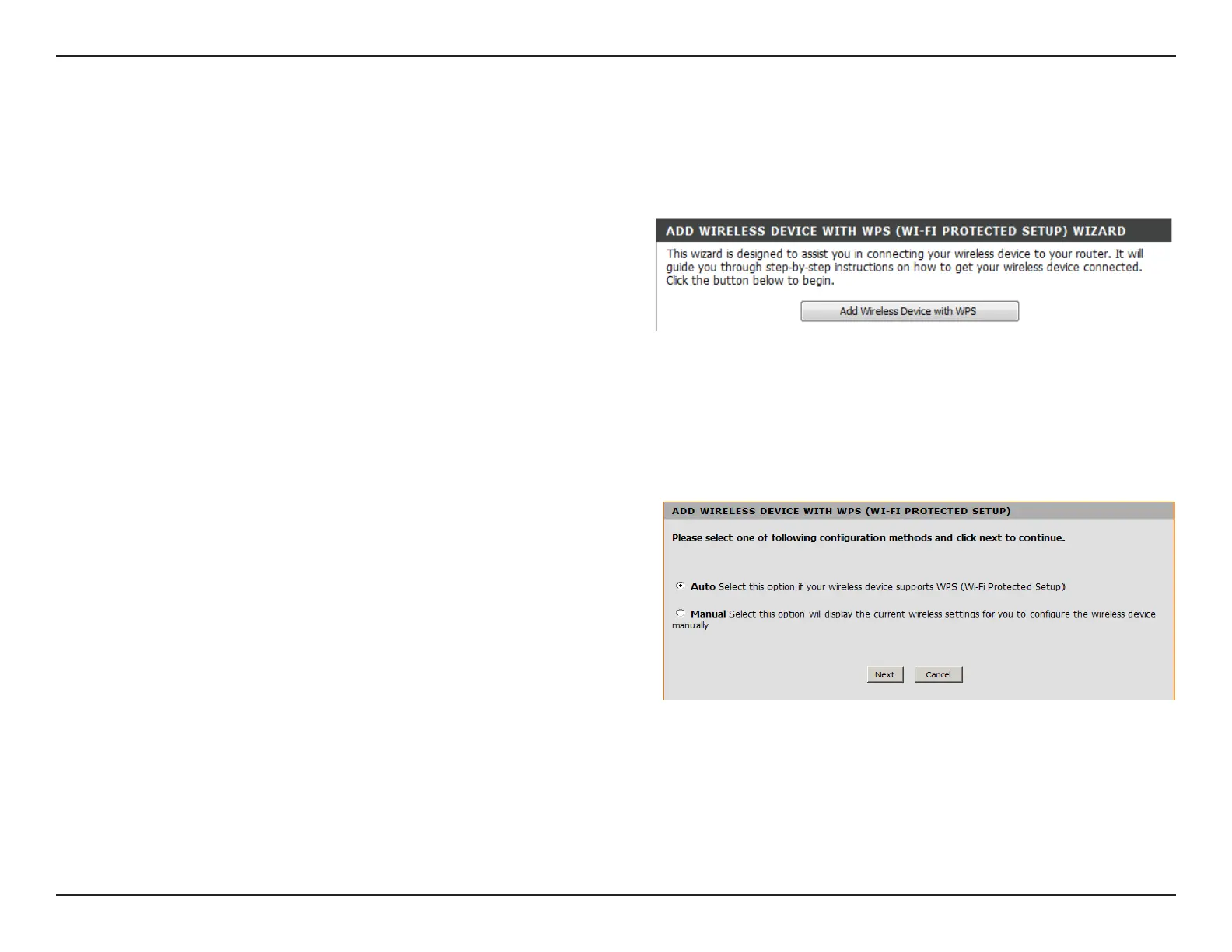
Add Wireless Device with WPS Wizard
Select Auto to add a wireless client using WPS (Wi-Fi
Protected Setup). Once you select Auto and click Connect,
you will have a 120 second time limit to apply the settings
to your wireless client(s) and successfully establish a
connection.
If you select Manual, a settings summary screen will appear.
Write down the security key and enter this on your wireless
clients.
From the Basic > Wizard screen, click Add Wireless Device
with WPS.


 To Next Page