
 Need help?
Do you have a question about the FSR Compass S2 and is the answer not in the manual?
An overview of the Compass S2's design and capabilities for systems integrators.
Lists the key functionalities and specifications of the Compass S2 unit.
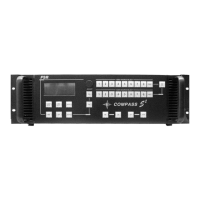
Details the integrated system components and user interface design of the Compass S2.
Details the various connectors and ports located on the rear panel of the Compass S2.
Guidelines for installing the Compass S2 unit into a standard equipment rack.
Information on power requirements and automatic line voltage selection for the Compass S2.
Specifies how to connect various video and audio signal formats to the Compass S2 inputs.
Explains how to connect the unit for remote control via RS232 or RS485 protocols.
Details the layout and functions of the Compass S2's front panel interface.
Covers standard and advanced menu options for configuring video and audio inputs.
Explains settings for audio menus, volume, effects, and output formats.
Covers file management, system settings, A/V modes, and special features like keying.
Defines default serial port settings including baud rate, parity, and stop bits.
Explains the structure and syntax rules for RS232 and RS485 commands.
A comprehensive list of commands with their parameters and descriptions for remote control.
Details how to emulate front panel controls and request LED status via remote commands.
Outlines the software upgrade process, hardware, and software prerequisites.
Step-by-step guide for connecting, verifying, and uploading new software to the unit.
Specifies the terms and duration of the FSR product warranty.
Procedures for obtaining and using RMA numbers for product returns and repairs.
Provides FSR's contact details for sales, support, and general inquiries.
Details the supported video and audio input formats, levels, and synchronization.
Specifies output resolutions, connectors, sync types, and audio output details.
Describes user controls, remote interface, physical dimensions, power, and environmental ratings.

 To Next Page
 General