12
1
Before You Begin
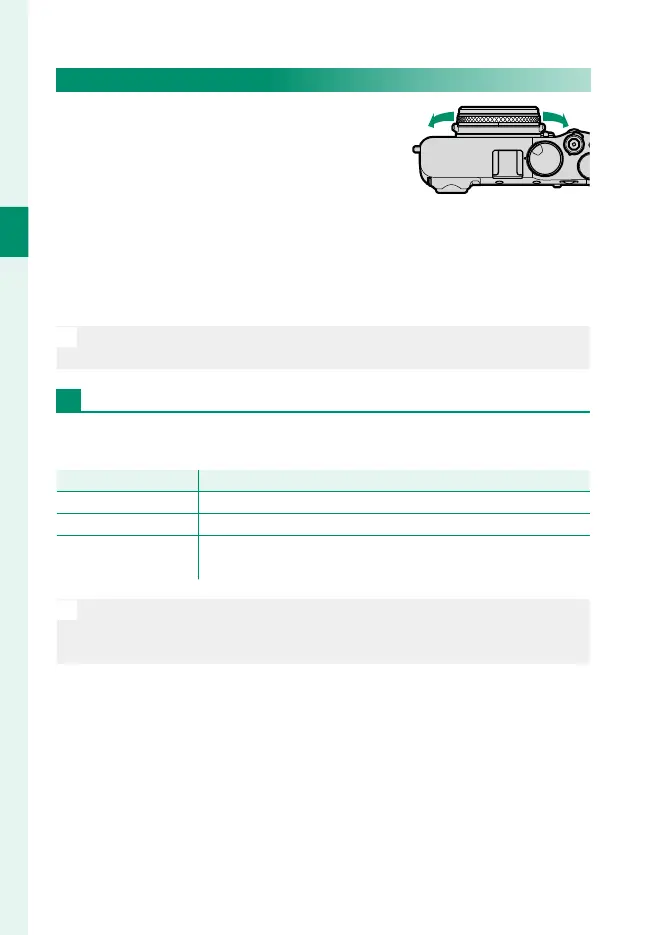
The Control Ring
Use the control ring for quick access to
camera functions during shooting.
The function assigned to the control ring
can be selected by pressing the control
ring options button. Choose from:
•
STANDARD
•
WHITE BALANCE
•
FILM SIMULATION
•
DIGITAL TELE-CONV.
N
The function assigned to the control ring can also be selected using
DBUTTON/DIAL SETTING > CONTROL RING SETTING.
STANDARD
When STANDARD is selected, the function assigned to the con-
trol ring changes with the shooting mode.
Shooting mode
Function
P, S, A, M Digital teleconverter
Advanced Filter Filter selection
Panorama/
Multiple Exposure
Film simulation
N
Regardless of the option selected, when M (manual) is chosen with the
focus mode selector in shooting mode P, S, A, or M, the control ring can
be used only for manual focus.







 To Next Page