45
3
Basic Photography and Playback
Taking Photographs (Mode P)
3
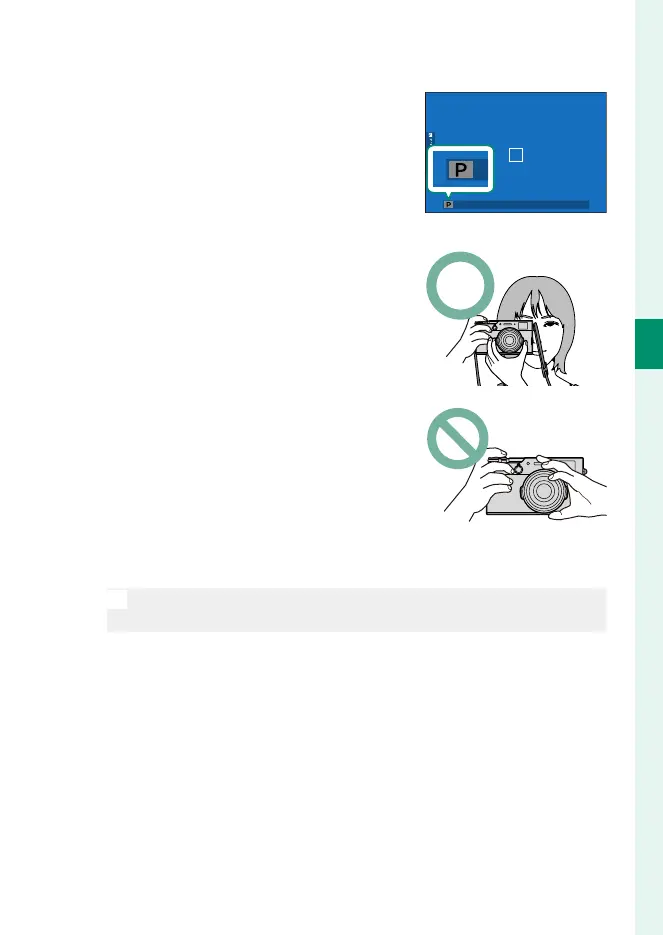
Check the shooting mode.
Con rm that P appears in the display.
4
Ready the camera.
•
Hold the camera steady with both
hands and brace your elbows
against your sides. Shaking or un-
steady hands can blur your shots.
•
To prevent pictures that are out of
focus or too dark (underexposed),
keep your ngers and other objects
away from the lens and AF-assist
illuminator.
5
Frame the picture.
N
The bright frame in the OVF shows the area that will appear in the
nal photograph.



 To Next Page