5
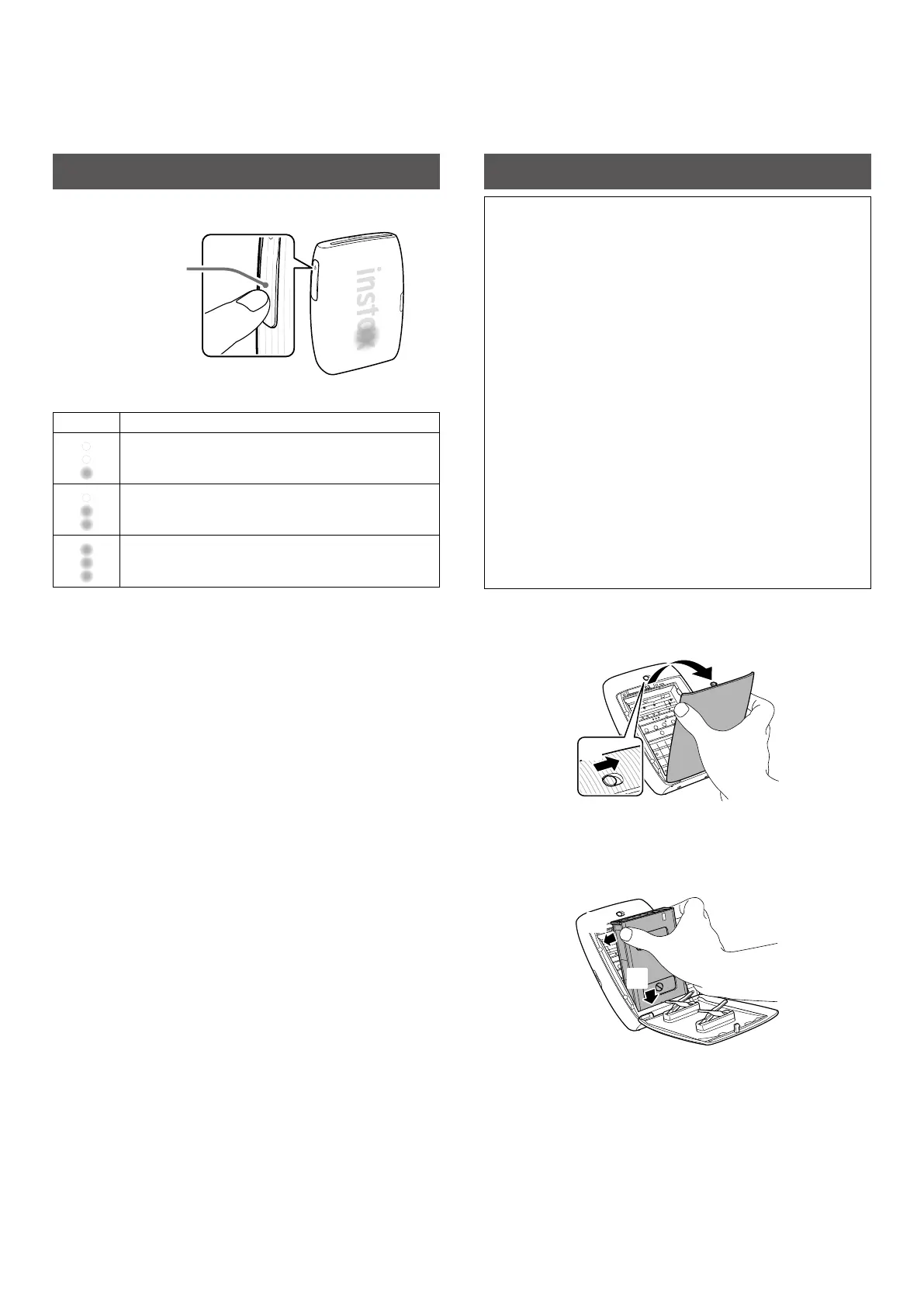
Checking Level of Battery Charge
Pressing the Function button while the printer is turned on can
check the battery level.
Function button
LED Battery level
Low battery level
Middle battery level
High battery level
Check the charging status with your Smartphone when paired to
the free INSTAX MINI LINK App (Smartphone download required).
Loading the INSTAX MINI™ Instant Film Pack
NOTE
Do not open the Film door until all 10 film sheets of the
INSTAX MINI instant film pack have been used� Opening the
Film door will expose any remaining, unused film sheets,
rendering the remainder of the film pack unusable�
• When you load the film pack, never press the two rectangular
holes on the back of the film pack.
• Never use a film pack beyond its shelf life; otherwise, it may
damage the printer.
Use FUJIFILM INSTAX MINI Instant Film (sold separately) only.
The INSTAX SQUARE® or INSTAX WIDE™ Instant Film Packs
cannot be used.
Notes on the film pack
• Each FUJIFILM INSTAX MINI Instant Film Pack contains one
black film protective cover and 10 film sheets.
• Do not remove the film pack from its inner bag before
loading it into the printer.
• The film cover is ejected automatically when the film door is
closed.
For details, refer to the instructions and warnings on the
package of FUJIFILM INSTAX MINI Instant Film.
1
Slide & hold the Film door lock in place, then open
the Film door�
1
2
Insert an INSTAX MINI instant film pack by aligning
the yellow marks on the film pack and the printer
body�
1
2















 To Next Page