3
Before Use
Before using the printer, check the following.
Supplied Accessories
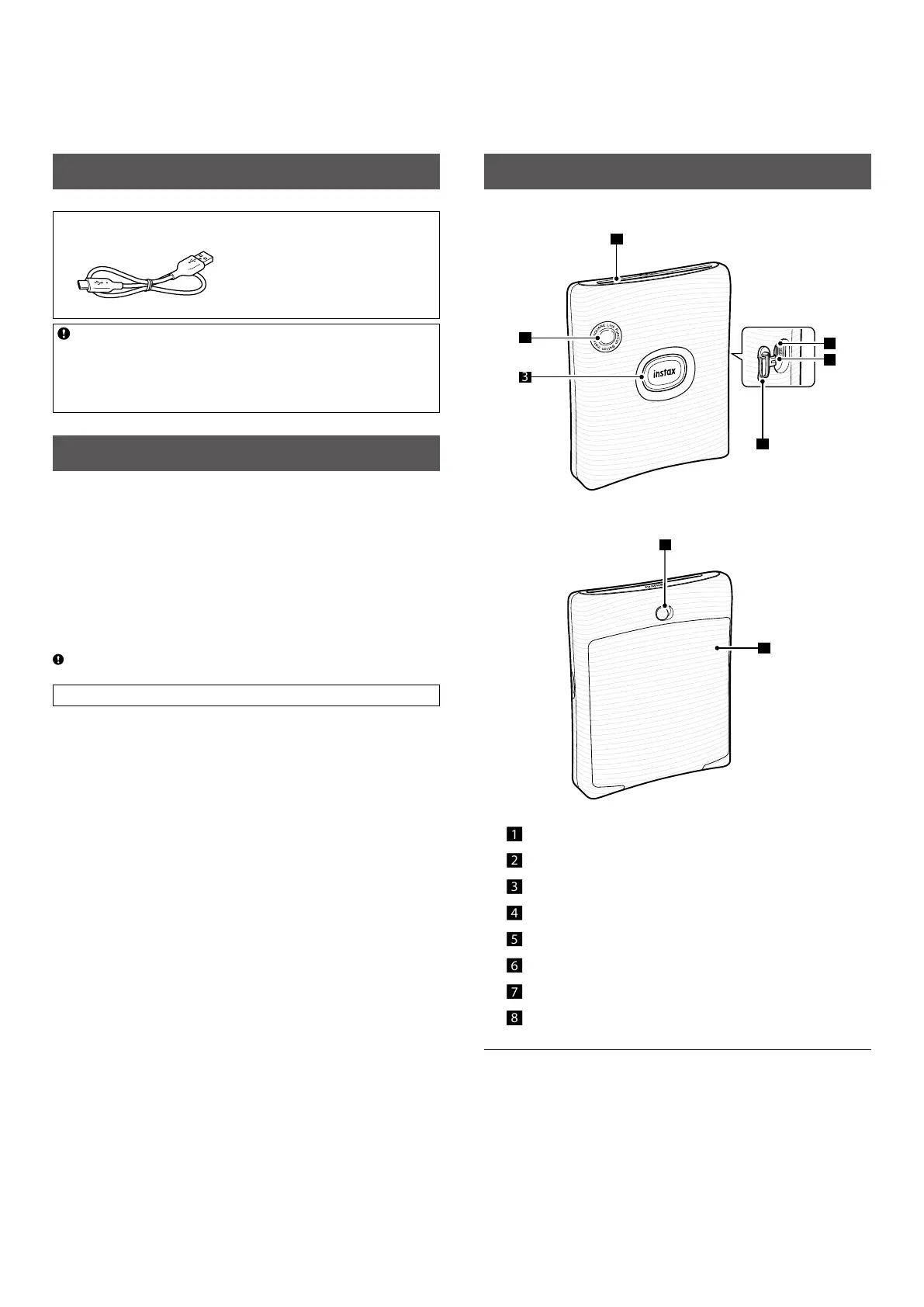
• USB Type-C cable for charging (1)
(YR059291QAD0000)
• User's Guide (1)
• 1 Year Limited Warranty (1)
The battery has not been fully charged at the factory. Before
using the printer for the first time, be sure to fully charge the
battery. The free INSTAX SQUARE LINK App will need to be
downloaded and paired with your Smartphone prior to initial
use.
Notes on Disposing of the Printer
A built-in lithium ion battery is located inside this printer.
When you dispose of the printer, follow your local regulations and
dispose of it properly.
For proper disposal in the United States at product end-of-life,
please contact 1-800-800-3854 Option #1 INSTAX.
For proper disposal in Canada at product end-of-life, please
contact 1-800-461-0416.
For proper disposal in Latin America at product end-of-life, please
contact your local FUJIFILM distributor or dealer for disposal
instructions.
Do not attempt to remove the built-in battery. Injury may result.
Read “IMPORTANT SAFETY NOTICE” (Page 13 ) for safety use.
Part Names
Front
1
3
4
2
5
6
Rear
7
8
1 Film ejection slot
2 Function button
3 Power button/LED
1
4 USB port cover
5 Reset button
2
6 USB Type-C port
7 Film door lock
8 Film door
3
1
For details on LED indication status, see pages 4 and 6.
2
If the printer does not work properly, press the reset button to
reset the printer.
3
Uses INSTAX SQUARE instant film, sold separately.














 To Next Page