25
Getting Ready
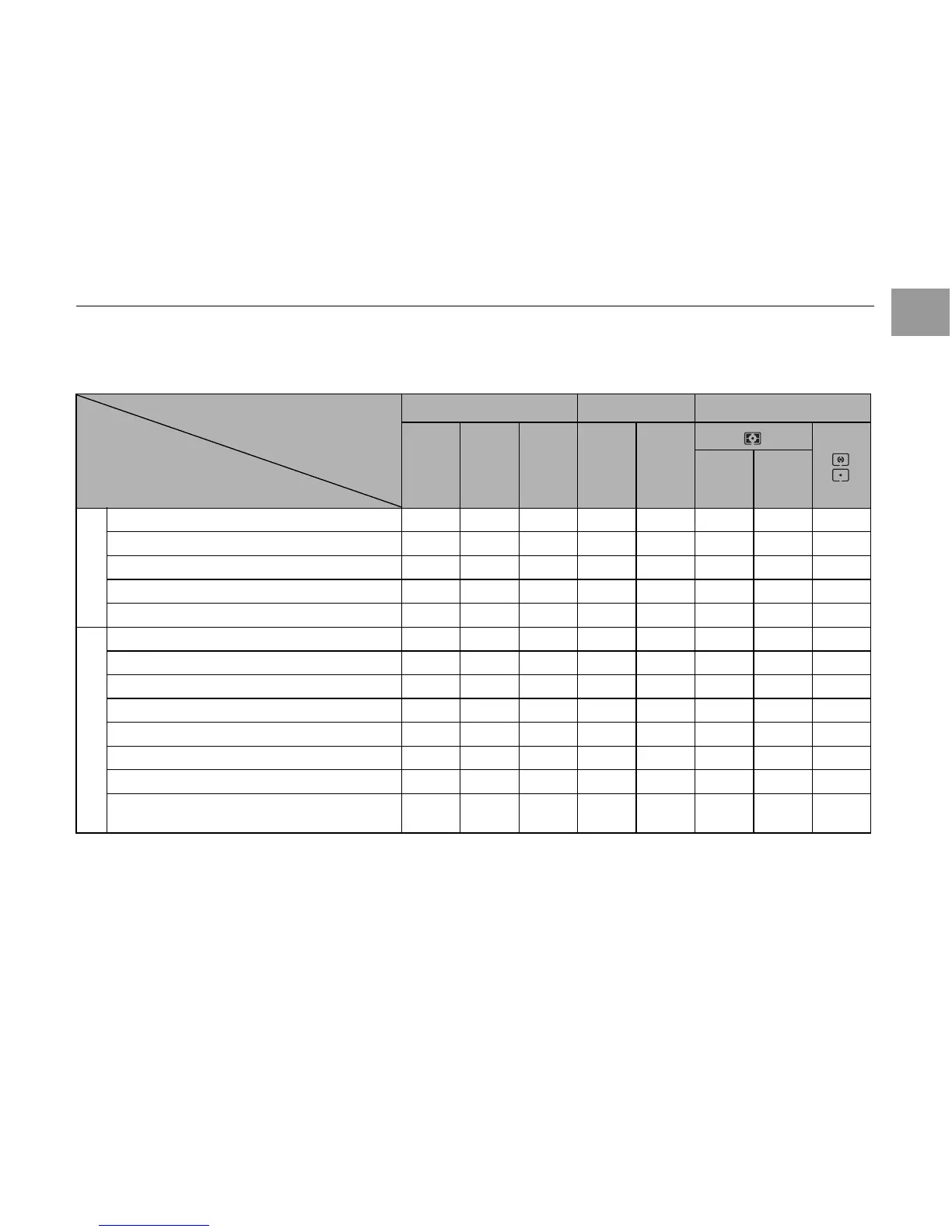
Z Lens compatibility
Use a CPU lens (except IX-Nikkor) with this camera. D- or G-type AF lenses give you access to all available functions.
Types of CPU lenses and other usable lenses/accessories
*
1
IX Nikkor lenses cannot be used.
*
2
Vibration Reduction (VR) supported with VR lenses.
*
3
Spot metering meters selected focus area.
*
4
The camera’s exposure metering and flash control systems do not work properly when shifting and/or tilting the lens, or when
an aperture other than the maximum aperture is used.
*
5
Electronic range finder cannot be used with shifting or tilting.
Camera setting
Lens/accessory
Focus mode Exposure mode Metering
AF
M
(with
electronic
range
finder)
M P S A M
3D Color
Type G or D AF Nikkor
*2
; AF-S, AF-I Nikkor ✔✔✔✔✔✔ – ✔
*3
PC-Micro Nikkor 85 mm f/2.8D
*4
– ✔
*5
✔ – ✔
*6
✔ – ✔
*3
AF-S / AF-I Teleconverter
*7
✔
*8
✔
*8
✔✔✔✔ – ✔
*3
Other AF Nikkor (except lenses for F3AF) ✔
*9
✔
*9
✔✔✔ – ✔✔
*3
AI-P Nikkor – ✔
*10
✔✔✔ – ✔✔
*3
AI-modified, Ai, Ai-S, or Series E Nikkor
*12
– ✔
*10
✔ – ✔
*13
– ✔
*14
✔
*15
Medical Nikkor 120 mm f/4 – ✔✔ – ✔
*16
–––
Reflex Nikkor – – ✔ – ✔
*13
––✔
*15
PC-Nikkor – ✔
*5
✔ – ✔
*17
––✔
AI–type Teleconverter
*18
– ✔
*8
✔ – ✔
*13
– ✔
*14
✔
*15
TC–16AS AF Teleconverter – ✔
*8
✔ – ✔
*13
– ✔
*14
✔
*15
PB–6 Bellows Focusing Attachment
*19
– ✔
*8
✔ – ✔
*20
––✔
Auto extension rings (PK–series 11–A, 12, or
13;PN–11)
– ✔
*8
✔ – ✔
*13
––✔
CPU lenses
*1
Non-CPU lenses
*11
Continued Q


 To Next Page