72
Exposure Mode
Shutter-priority auto
In shutter-priority auto, you choose the shutter speed
while the camera automatically selects the aperture that
will produce the optimum exposure. Shutter speed can be
set to values between 30s and 1/8000s. Use slow shutter
speeds to suggest motion by blurring moving objects,
high shutter speeds to “freeze” motion.
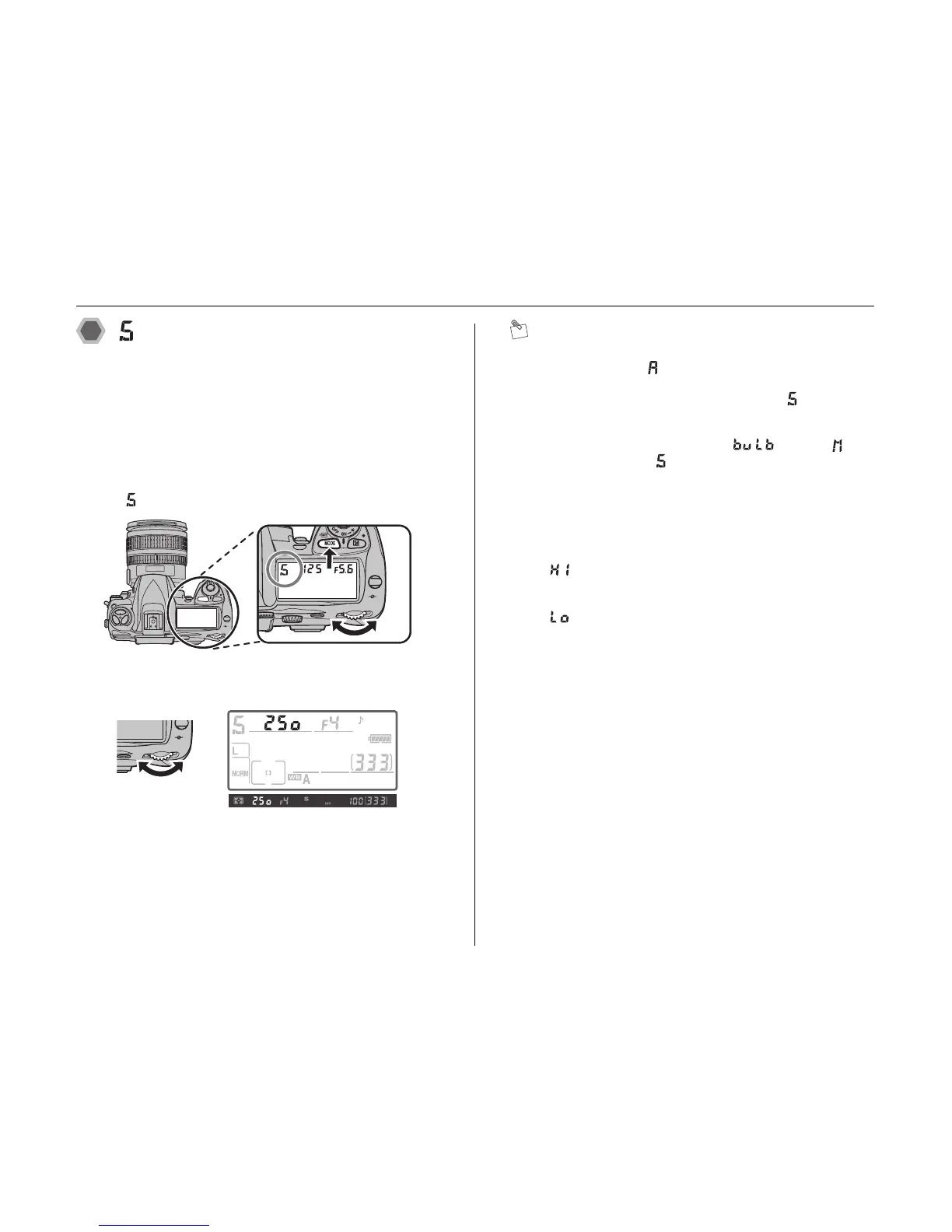
AWhile pressing MODE, rotate the main-command dial
until is displayed in the control panel.
BRotate the main-command dial to choose the desired
shutter speed (between 30s and 1/8000s).
CFrame a photograph, focus, and shoot.
MEMO
• Shutter-priority auto is only available with CPU lenses.
• Exposure mode (aperture-priority auto) is
automatically selected when a non-CPU lens is
attached. The exposure-mode indicator will blink in
the control panel and
A will be displayed in the
viewfinder.
• If you select a shutter speed of in mode and
then select mode without changing the shutter
speed, the shutter-speed display will flash and the
shutter cannot be released. Rotate the main command
dial to select a different shutter speed before shooting.
• If the limits of the exposure metering system are
exceeded, one of the following indicators will be
displayed in the control panel and viewfinder:
: Subject too bright. Choose faster shutter speed or
lower ISO sensitivity (➝p.92), or use optional neutral
density (ND) filter.
: Subject too dark. Choose slower shutter speed or
higher ISO sensitivity (➝p.92), or use flash.
• Use a battery with sufficient power when performing
bulb shooting.












 To Next Page