33
Getting Ready
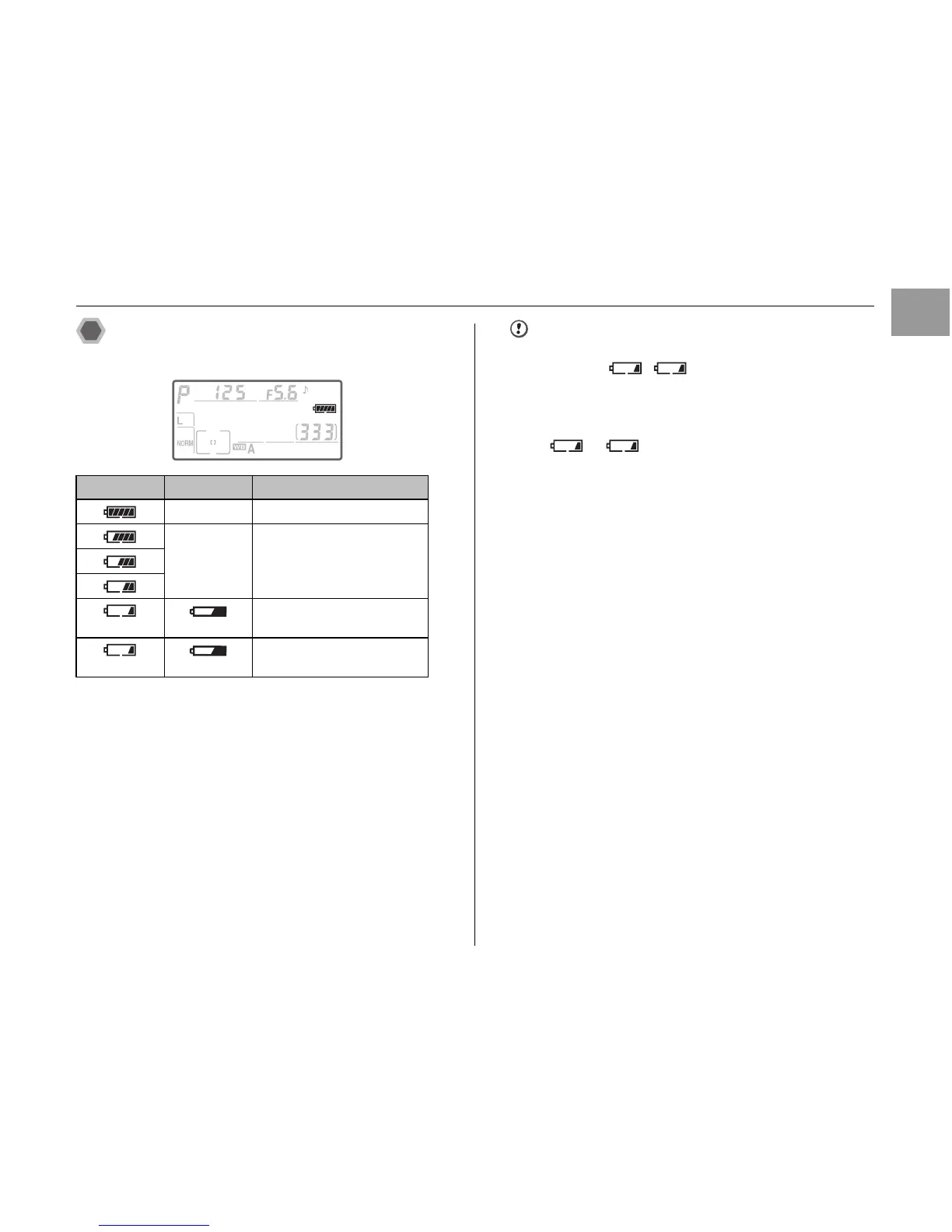
Checking the battery charge
Check the battery level in the viewfinder or control panel.
CAUTION
• Due to the nature of the battery, the battery level
indicator ( , (blinking)) may appear early
when the camera is used in cold locations. Try warming
the battery in your pocket or a similar location before
use.
• Depending on the camera mode, the transition from
to (blinking) may occur more quickly.
• See p.208-209 for information on the battery.
Control panel Viewfinder Description
– Battery fully charged.
– Battery partially discharged.
Low battery. Ready fully-
charged spare battery.
(blinks) (blinks)
Shutter-release disabled.
Change battery.













 To Next Page