35
Getting Ready
Formatting the memory card
Formatting memory cards permanently deletes all
photographs and other data they may contain. Be
sure all data you wish to keep has been copied to another
storage device before formatting the card.
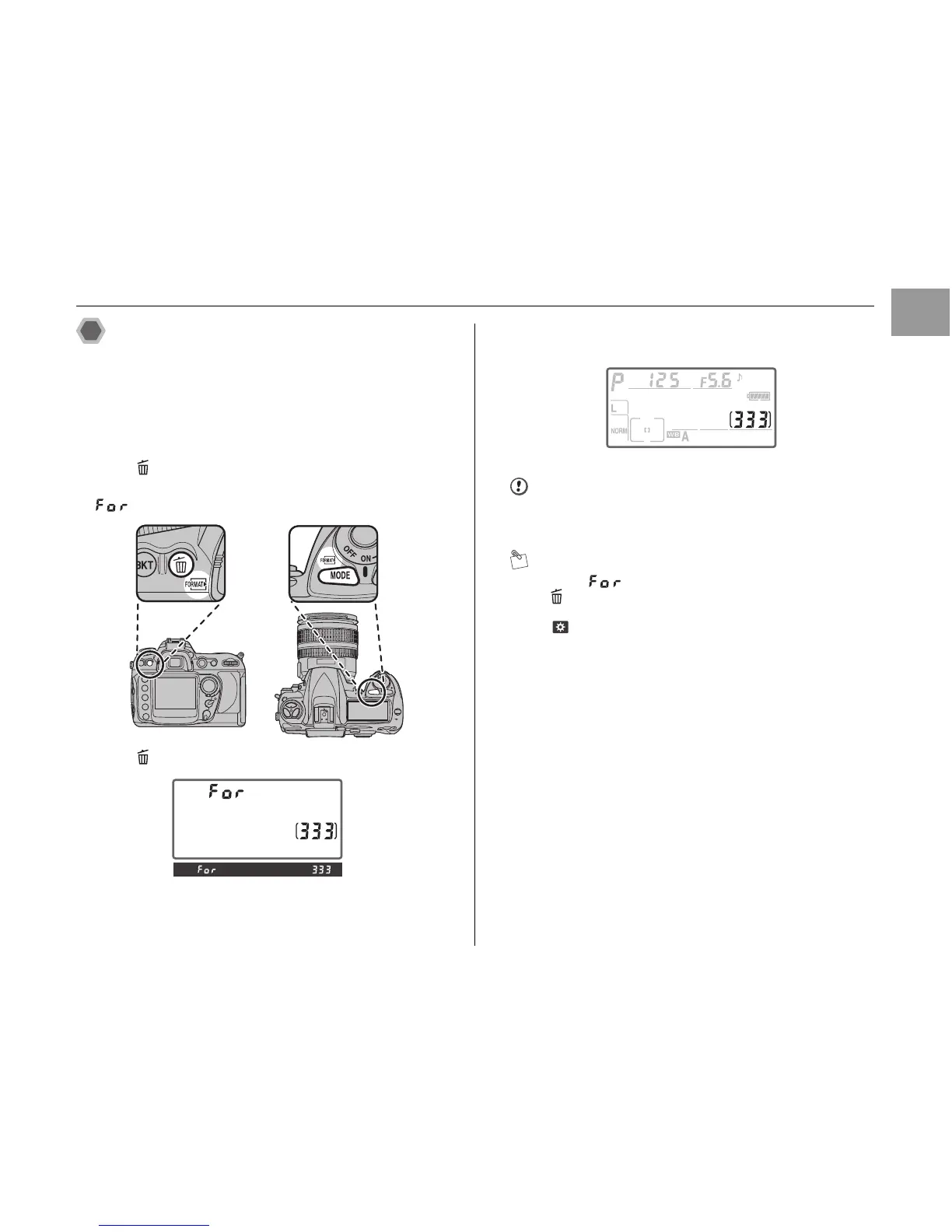
ATurn the camera on (➝p.36).
BPress and MODE simultaneously for about 2
seconds.
blinks in the control panel and viewfinder.
CPress and MODE again.
DAfter formatting is completed, the control panel shows
the number of available frames.
CAUTION
Do not turn the camera off or remove the battery or
memory card until formatting is completed.
MEMO
• When blinks, press any other button except for
and MODE to exit without formatting memory card.
• Formatting can be performed using [FORMAT] under
[ SYSTEM] in the [SET UP] menu.












 To Next Page