53
Using the Camera
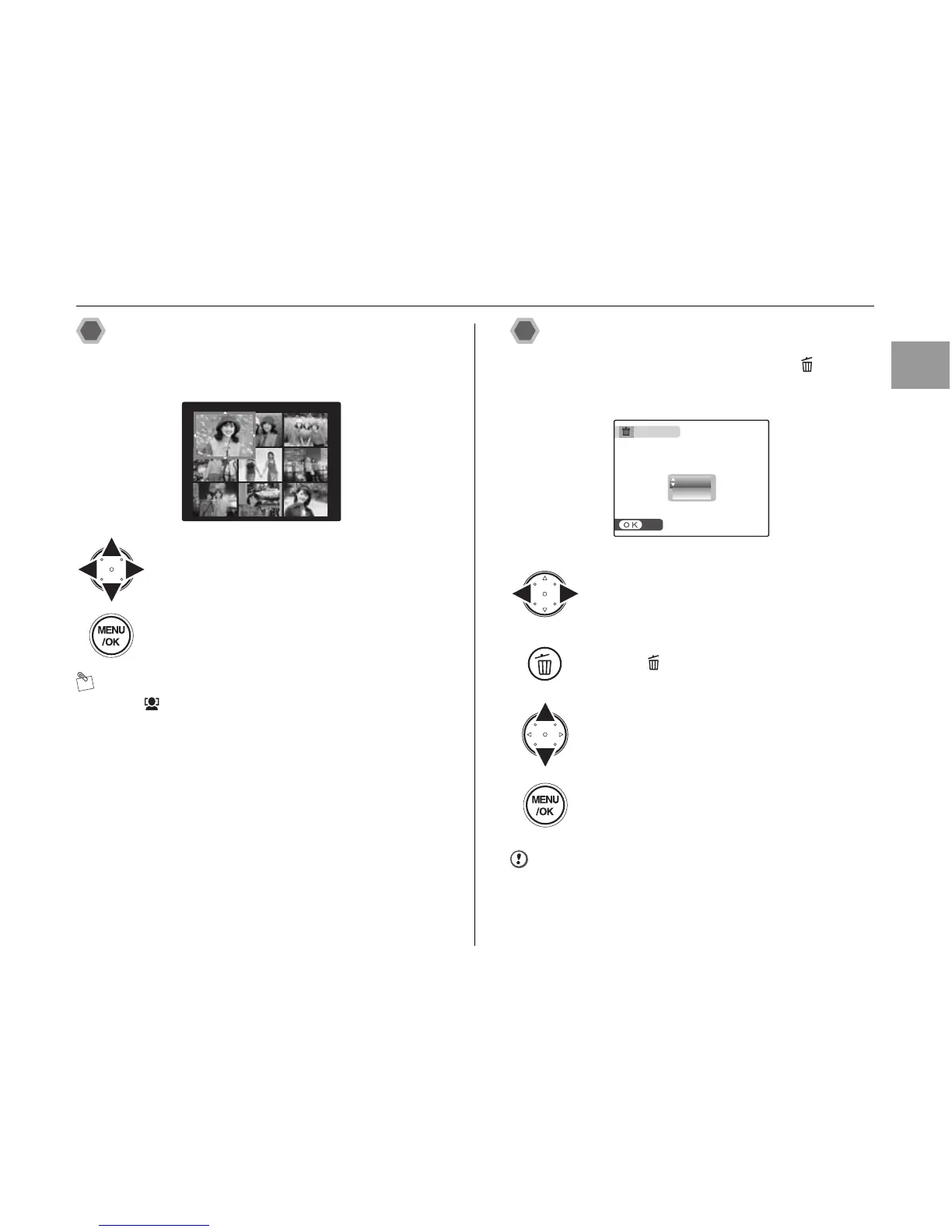
Multi-frame playback
Multi-frame playback screen (9 frames) appears on the
screen. Select desired frame from the 9 frames.
MEMO
Press to display the zoom in face screen or playback
zoom screen while performing multi-frame playback.
Using the erase button
When performing single-frame playback, use to erase
unnecessary images to have ample free space on the
memory card.
CAUTION
Erased frames (files) cannot be recovered.
APress n, o, p, or q to move the cursor
(colored frame) to the desired frame.
Press n or o repeatedly to jump to the
next page.
BPress MENU/OK to enlarge the image.
APress p or q to select the frame (file) to
erase.
BPress .
CPress n or o to select [OK].
DPress MENU/OK to erase the frame (file)
displayed.
ERASE OK?













 To Next Page