52
Viewing the Images
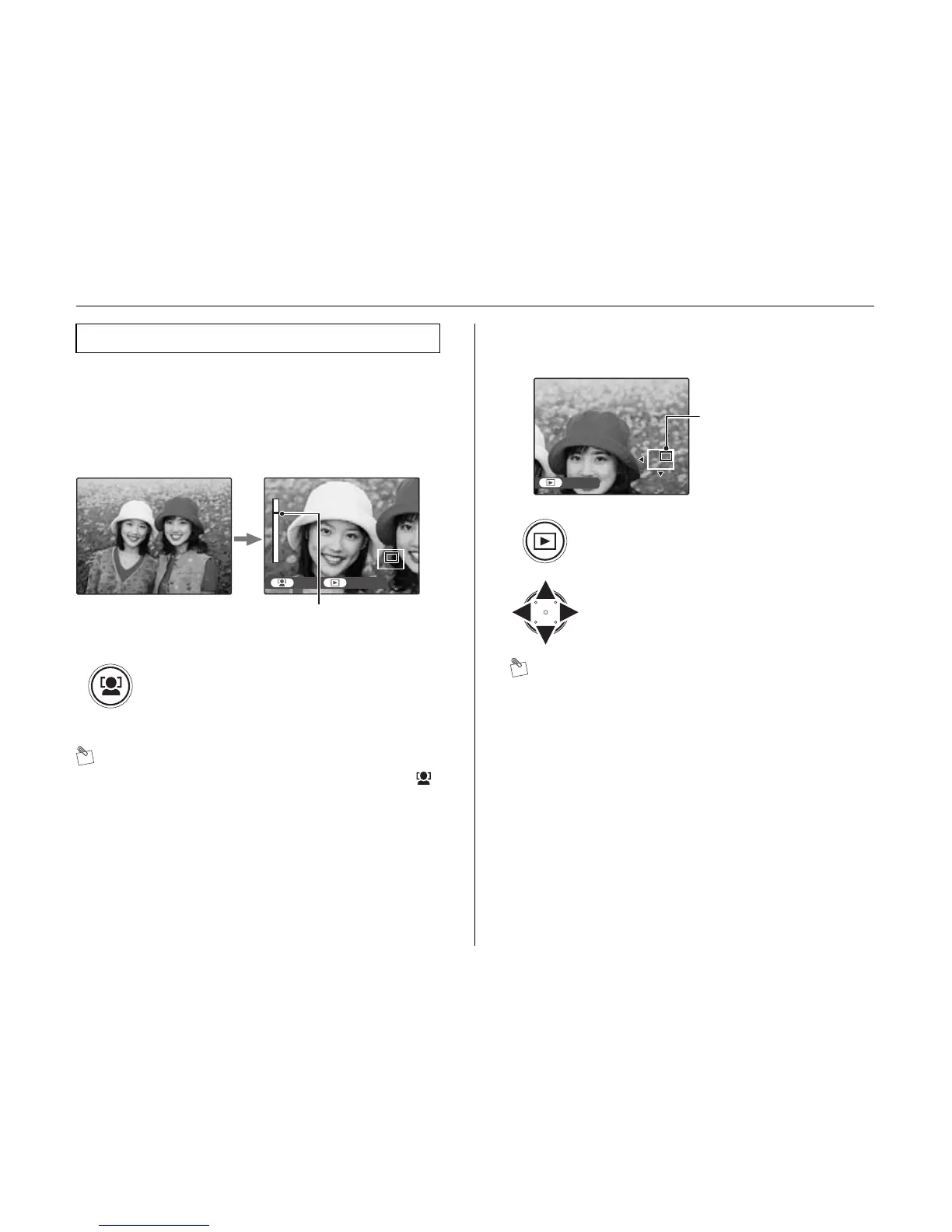
New feature for images captured with the IS Pro. Press
the face zoom in button to zoom directly in on the primary
face captured in the image. When no face is recognized,
the image is automatically zoomed into the center area.
1 Zoom in on a face (faces).
MEMO
Press n or o to perform the playback zoom. Press
to back to the zoom in face.
2 Display another part of the image.
MEMO
Press DISP/BACK to cancel the zoom in face.
Zoom in face
Zoom in on a face (faces).
Each time the face zoom in button is pressed,
a different face from the image is zoomed in
on (can detect up to a max of 10 faces in each
image).
NEXT
zoom bar
APress w to change display mode.
BPress n, o, p, or q to display another
part of the image.
ZOOM UP












 To Next Page