47
Using the Camera
Taking Pictures at Default Settings
This section describes how to take pictures at default
settings.
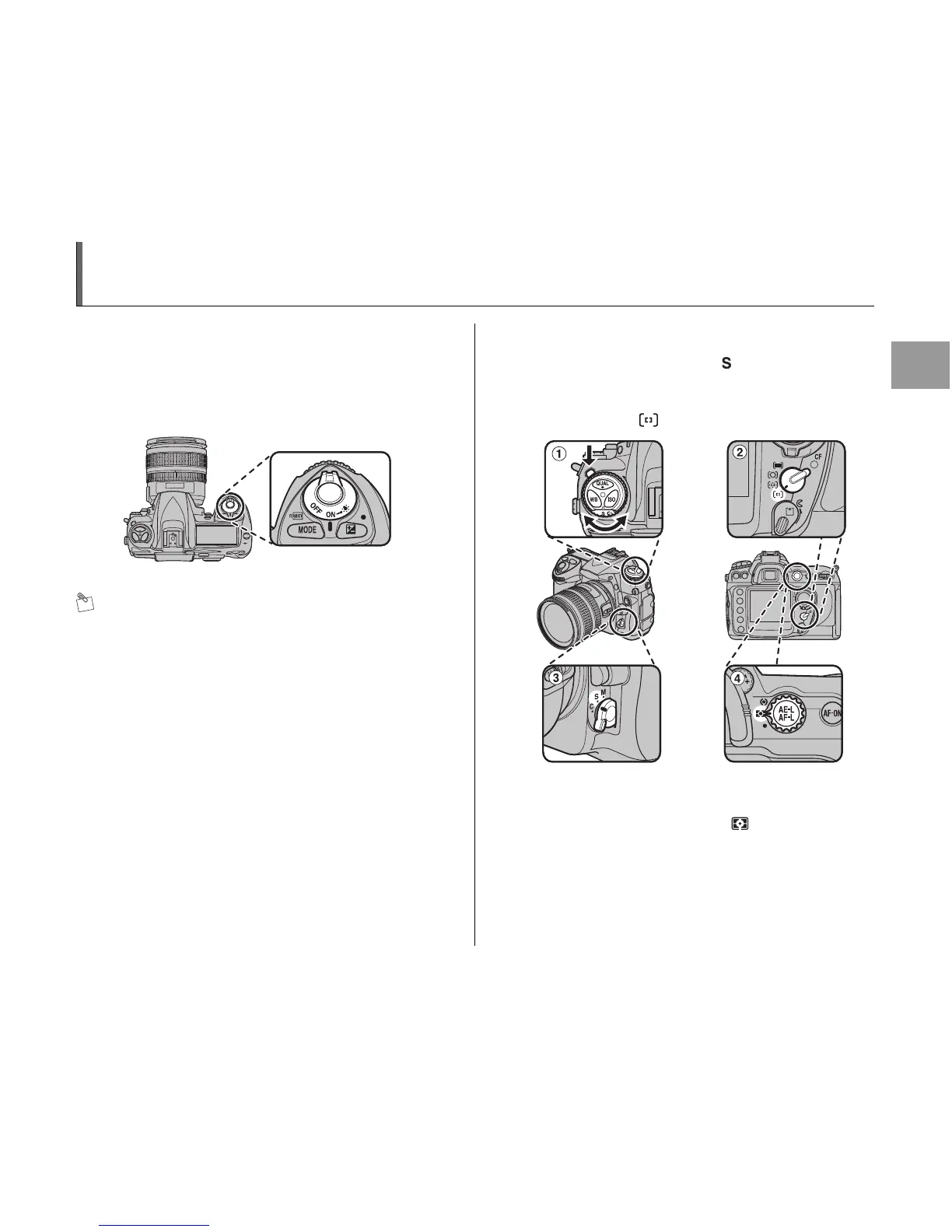
1 Set the power switch to ON to turn the
camera on (➝p.36).
MEMO
• Check the battery level (➝p.33).
• Check the number of available frames (➝p.49).
2 Adjust camera settings.
ATurn the release mode dial to (single frame) while
pressing the release mode dial unlock button.
BRotate the AF-area mode selector until it clicks into
place pointing to (single-area AF).
CRotate the focus-mode selector until it clicks into place
pointing to S (single-servo AF).
DRotate the metering selector to (matrix metering).
Continued Q












 To Next Page