40
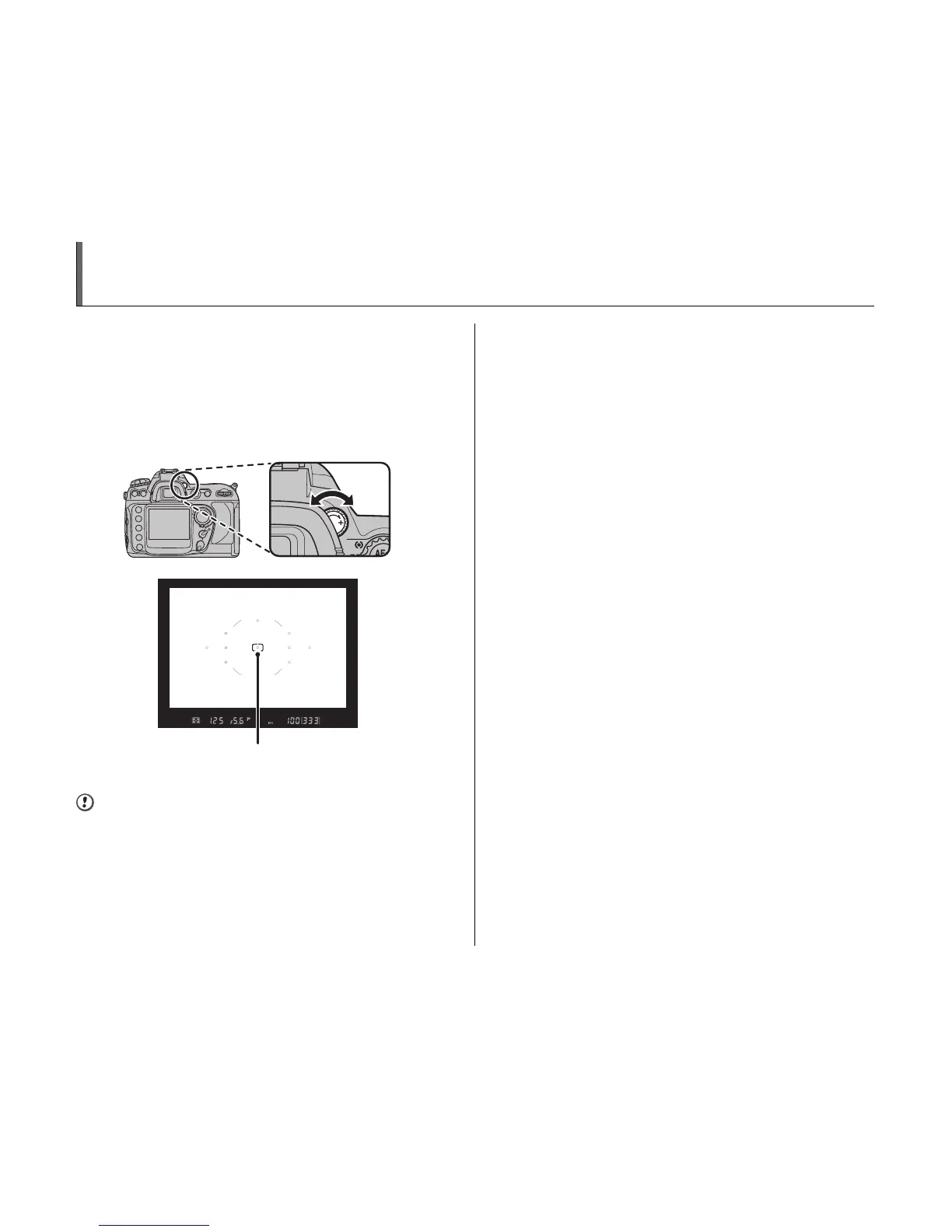
Adjusting Viewfinder Focus
Photographs are framed in the viewfinder. Before
shooting, make sure that the display in the viewfinder is in
clear focus.
Remove the front lens cap and rotate the diopter
adjustment control until the focus brackets are displayed
in sharp focus when the shutter button is pressed halfway.
CAUTION
When operating the diopter adjustment control with your
eye to the viewfinder, be careful not to put your fingers or
fingernails in your eye.
Focus brackets












 To Next Page