32
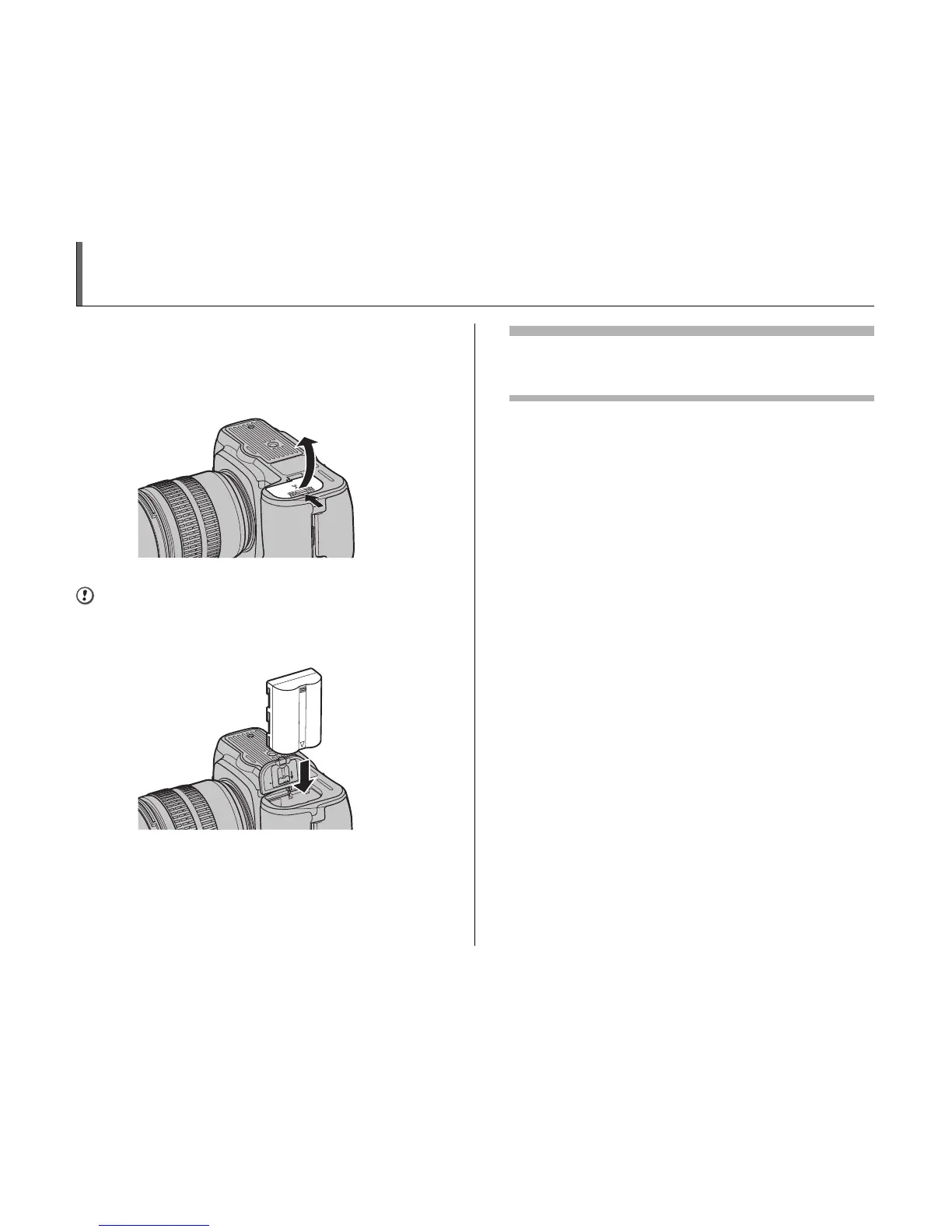
Loading the Battery
1 Set the power switch to OFF to turn the
camera off (➝p.36).
2 Open the battery cover.
CAUTION
Do not apply excessive force to the battery cover.
3 Load the battery as shown below.
4 Close the battery cover.
Removing the battery
Turn the camera off before removing the battery. Replace the
terminal cover when the battery is not in use.












 To Next Page