37
Getting Ready
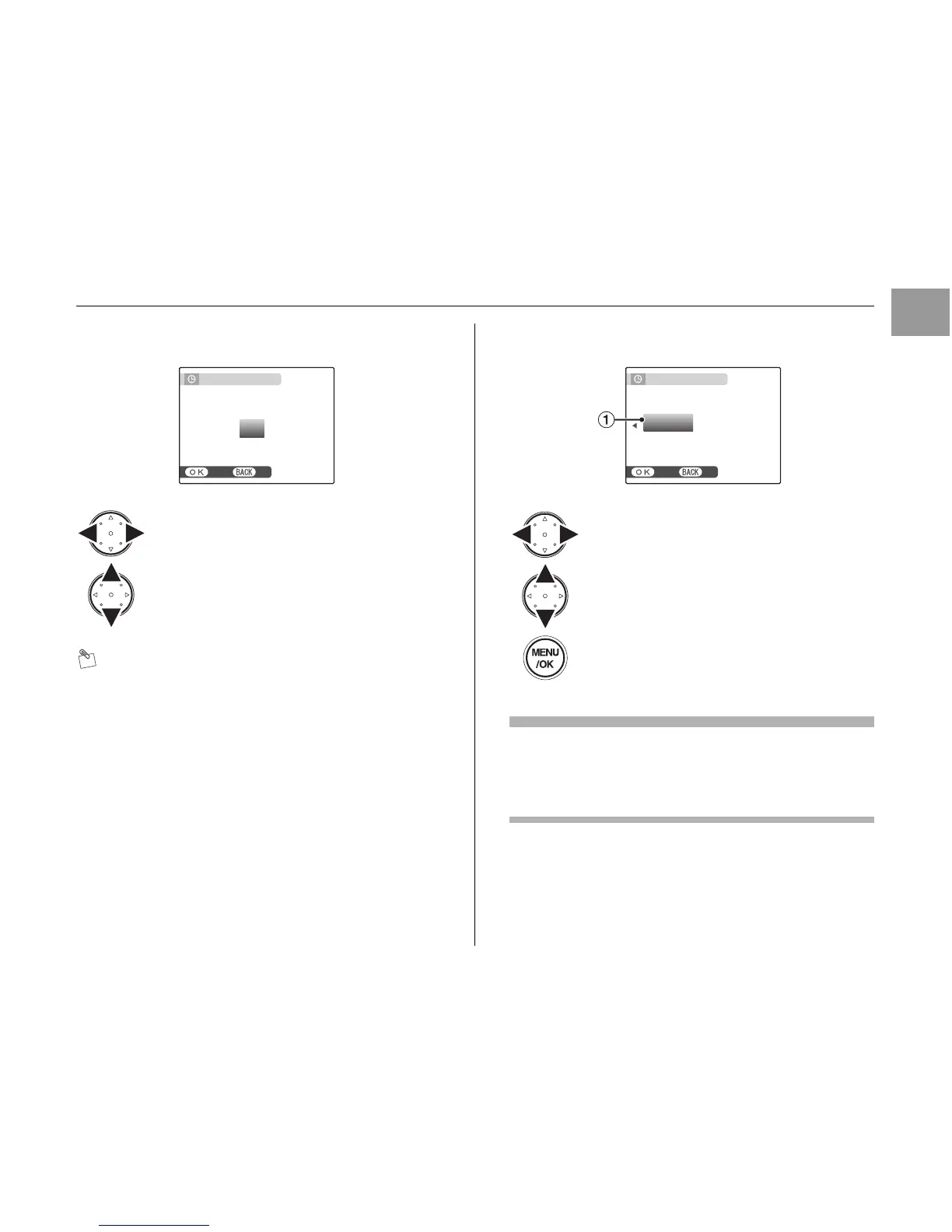
2 Set the date and time.
MEMO
• Holding down n or o changes the numbers
continuously.
• When the time displayed passes “12”, the AM/PM
setting changes.
3 Change the date format.
Date format
ex. January 20, 2007
YY.MM.DD: 2007.1.20
MM/DD/YY: 1/20/2007
DD.MM.YY: 20.1.2007
Continued Q
APress p or q to select Year, Month,
Day, Hour, or Minute.
BPress n or o to correct the setting.
SET
APress p or q to select the date format.
BPress n or o to set the format.
CAlways press MENU/OK after the settings
are completed.












 To Next Page