96
Adjusting Color Balance (T WHITE BALANCE)
Z Setting the color balance in the [SHOOTING
MENU]
Select the desired setting for [T WHITE BALANCE]
under [SHOOTING MENU].
See “Setting the [SHOOTING MENU]” (➝p.108).
MEMO
When [OK] is selected for the []PRESET CUSTOM],
preset white balance is applied. If the preset white
balance is not yet set, select [NEW WB], then set the
white balance to be applied (➝p.99).
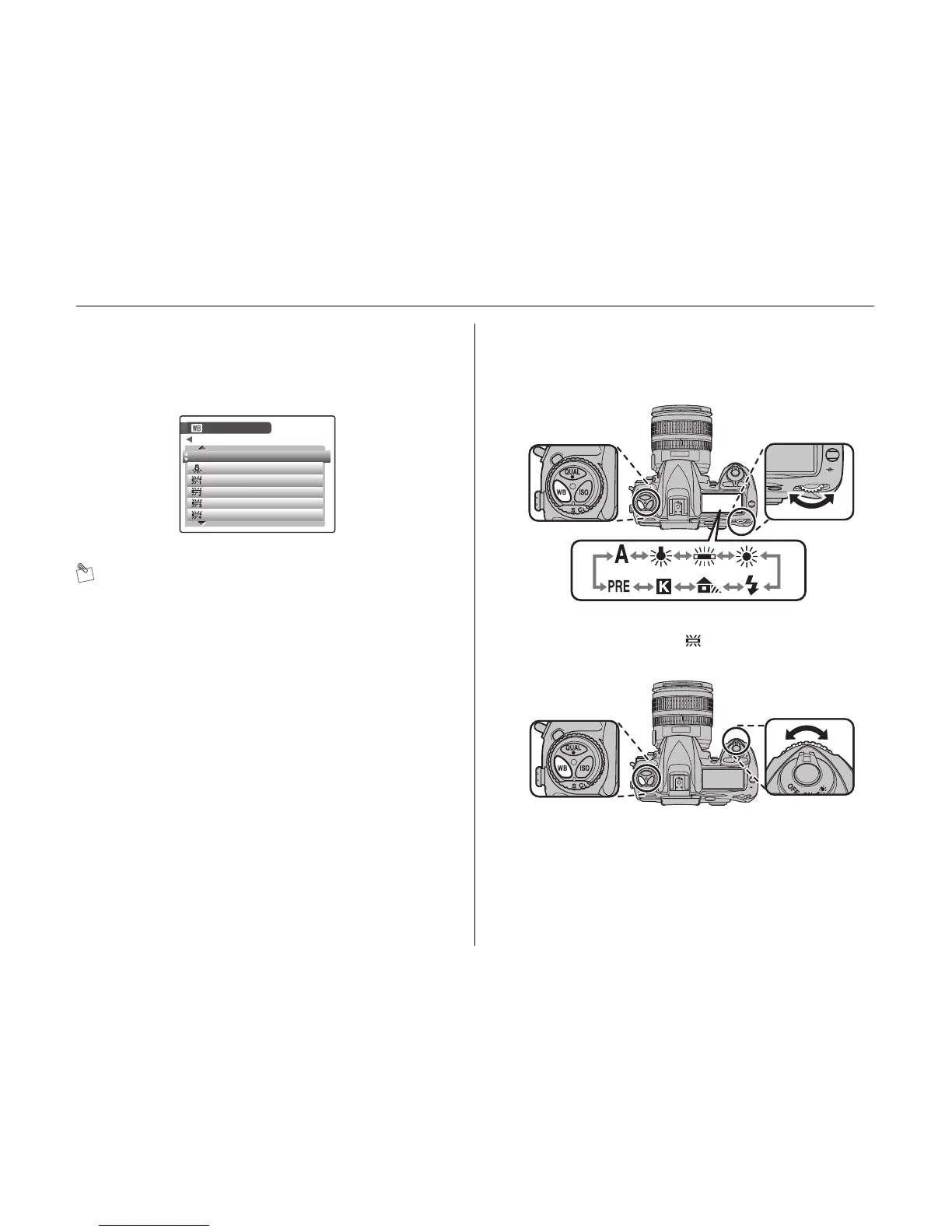
Z Setting the color balance using WB and the
command dials
AWhile pressing WB, rotate the main-command dial until
the desired setting is displayed in the control panel.
BWhile pressing WB, rotate the sub-command dial to
select the number when or PRE is selected for A
step.
WHITE BALANCE













 To Next Page